Agent Knowledge
⭐ Before we start
1 month into the brand new agentic strategy
Agentic strategies come in several shapes and sizes. Some take platform approach while others take partner approaches. In my last 15 months at Microsoft, I've had the opportunity
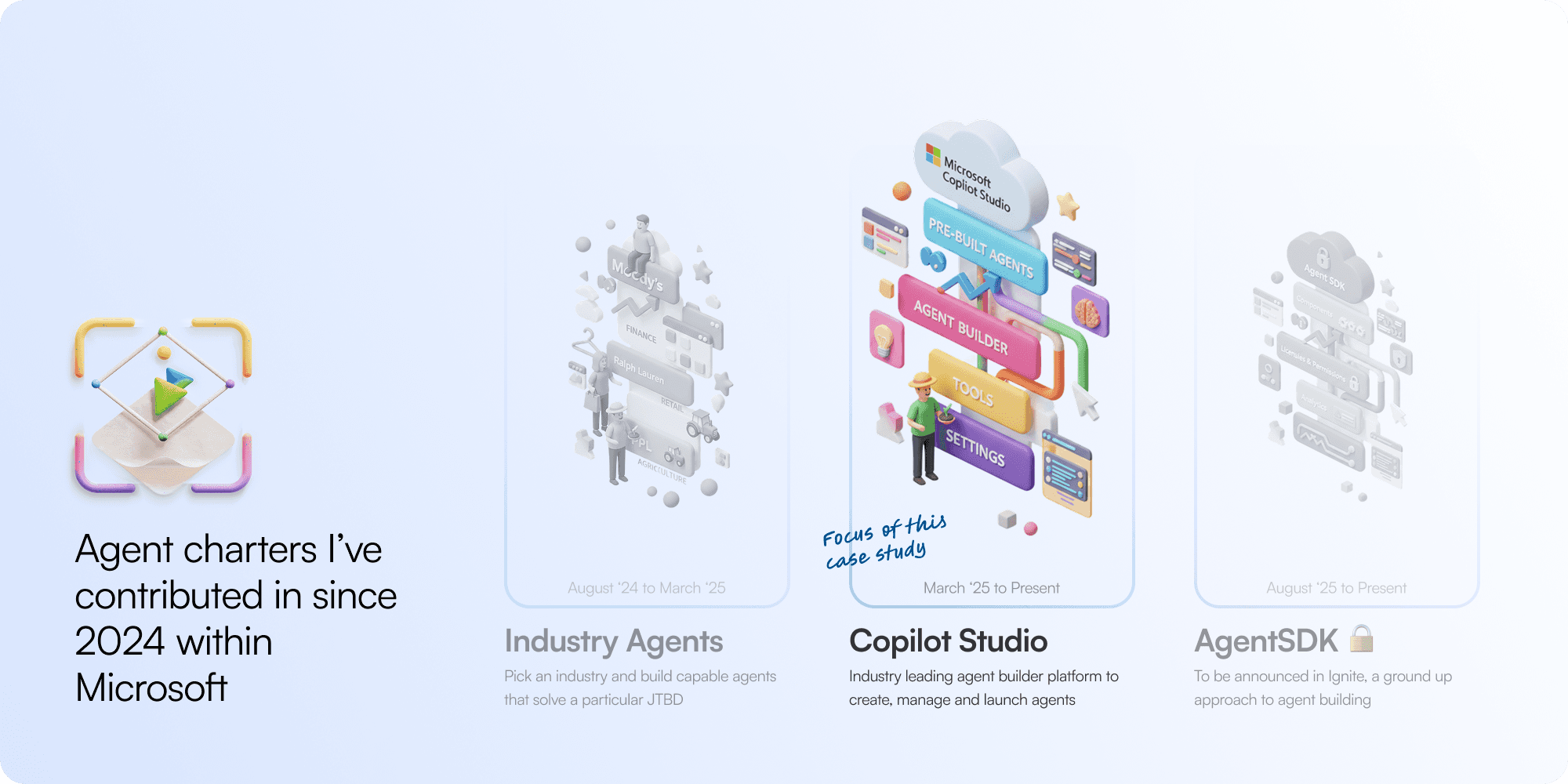
The one above stands tricky because of how much attention Microsoft has over its Copilot studio offering. All teams rally over and around MCS to sustain, drive usage, and fight for relevance in one form or another. With a scale like that often times teams run over each other's interests and areas - and this case study will uncover one of those conflicts, potentially how it was resolved and how further problems were uncovered. The things we will cover in this case study:
An overview to agents and knowledge
How agent memory could be solved with a smart spreadsheet
Potentially weaving of the feature with MCS ecosystem
Agent Knowledge is an 'Agent Cloud' business
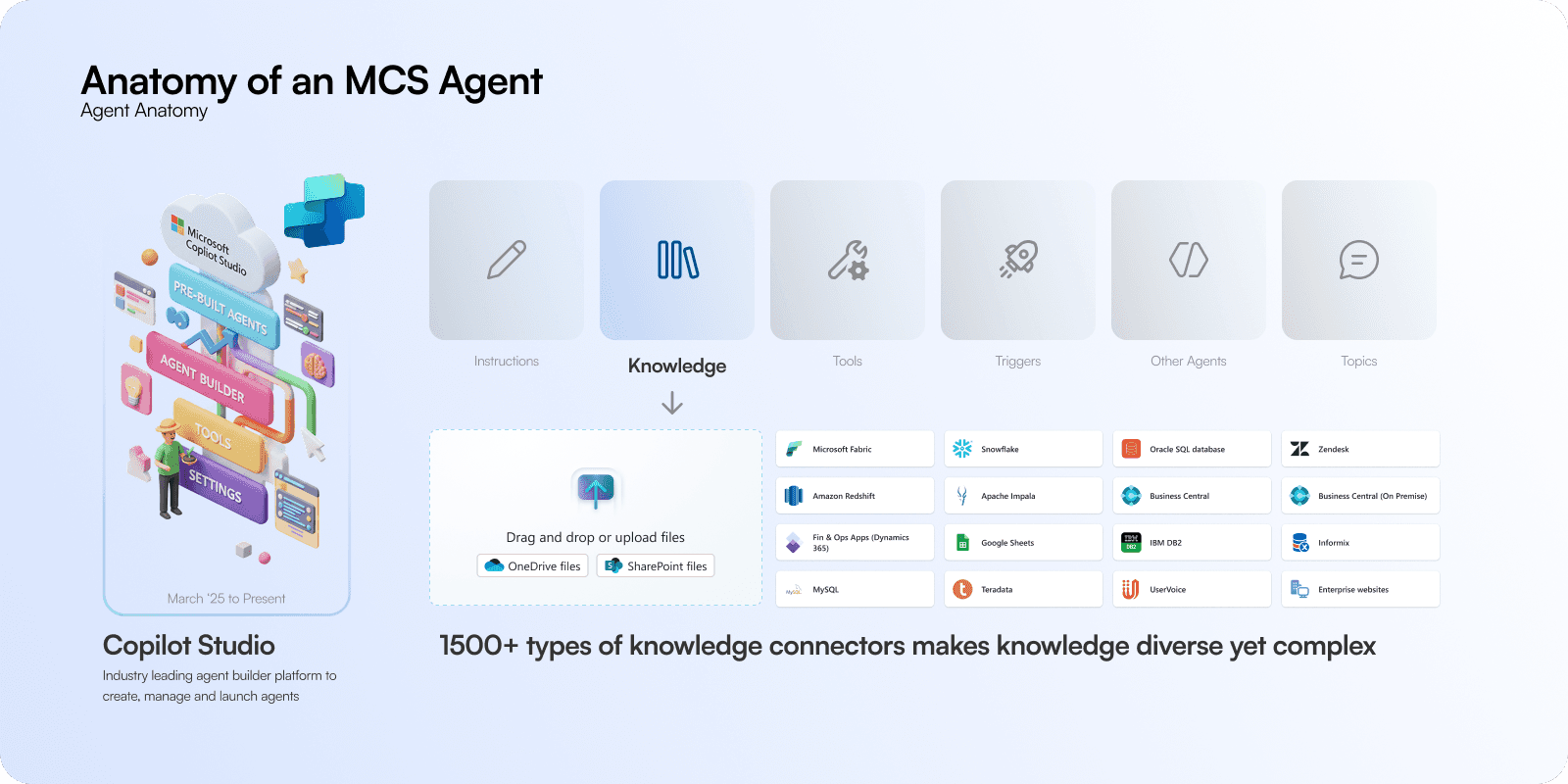
With a strange position of my charter entrusted to take of data in our entire business apps strategy, a surface where Business Industry Copilots [BIC] Agent Cloud [BAC] lives and breathes is Microsoft Copilot Studio [MCS] is made of several parts like instructions, tools, triggers etc. but without knowledge agent context falls apart and most declarative agents fail without that. Knowledge is of 3 types:
General world knowledge [Comes with the model and web]
Enterprise knowledge [Your company files and data] - My crew's focus
Chat context [Conversations, emails, notes, transcripts, lists]
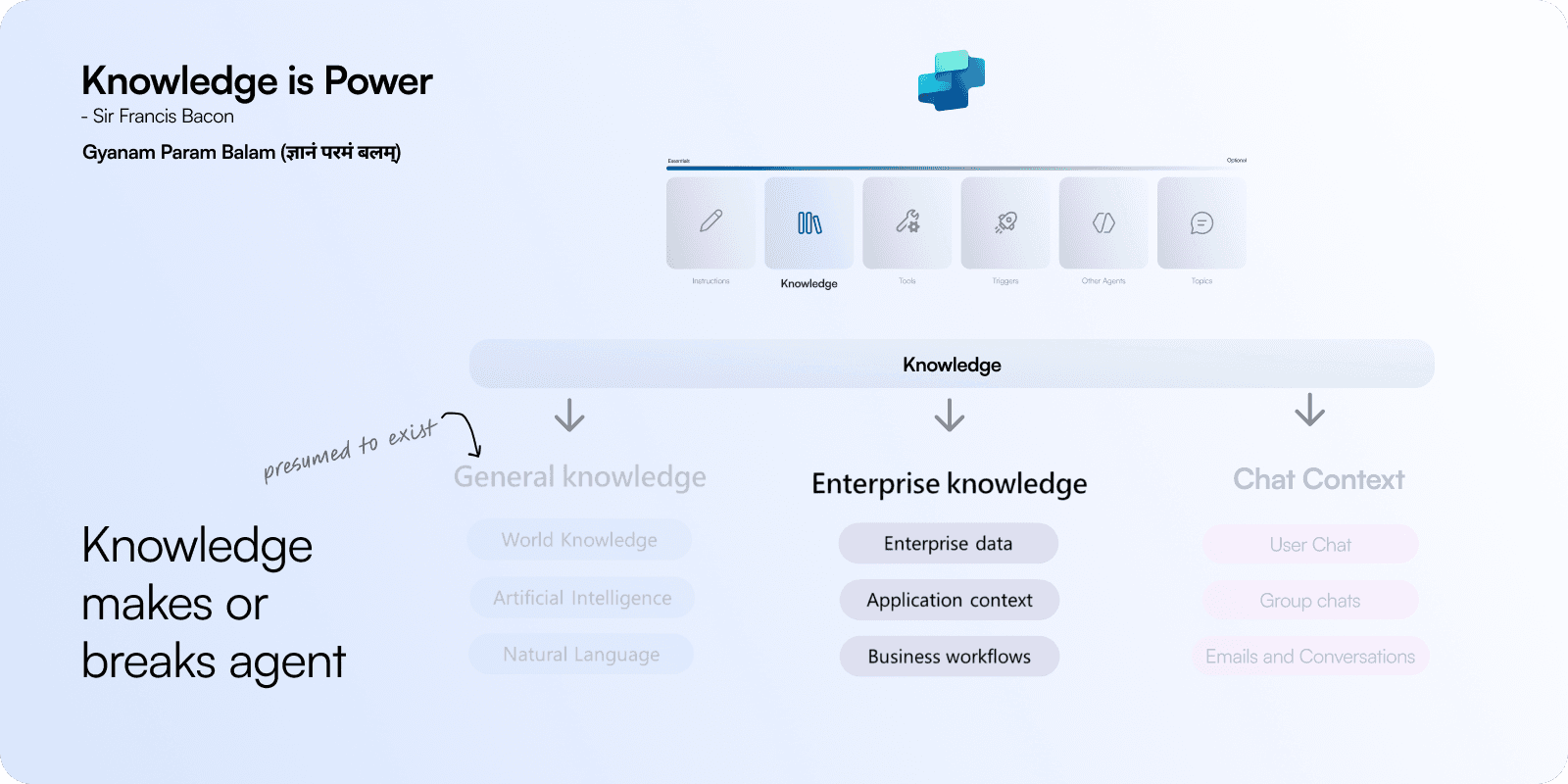
Knowledge grounds agent in context and helps interpret user query and makes responses relevant with context or match actions/tools based on query. While models themselves become smart, knowledge act as walled gardens that allow models to conditionally access business data for agents to operate.
Knowledge is configured by MCS inside an agent
It can also be files shared with agents in conversations for e.g. picture of an invoice
Multiple knowledge sources can be at play to generate a response
Knowledge sources and finding opportunities
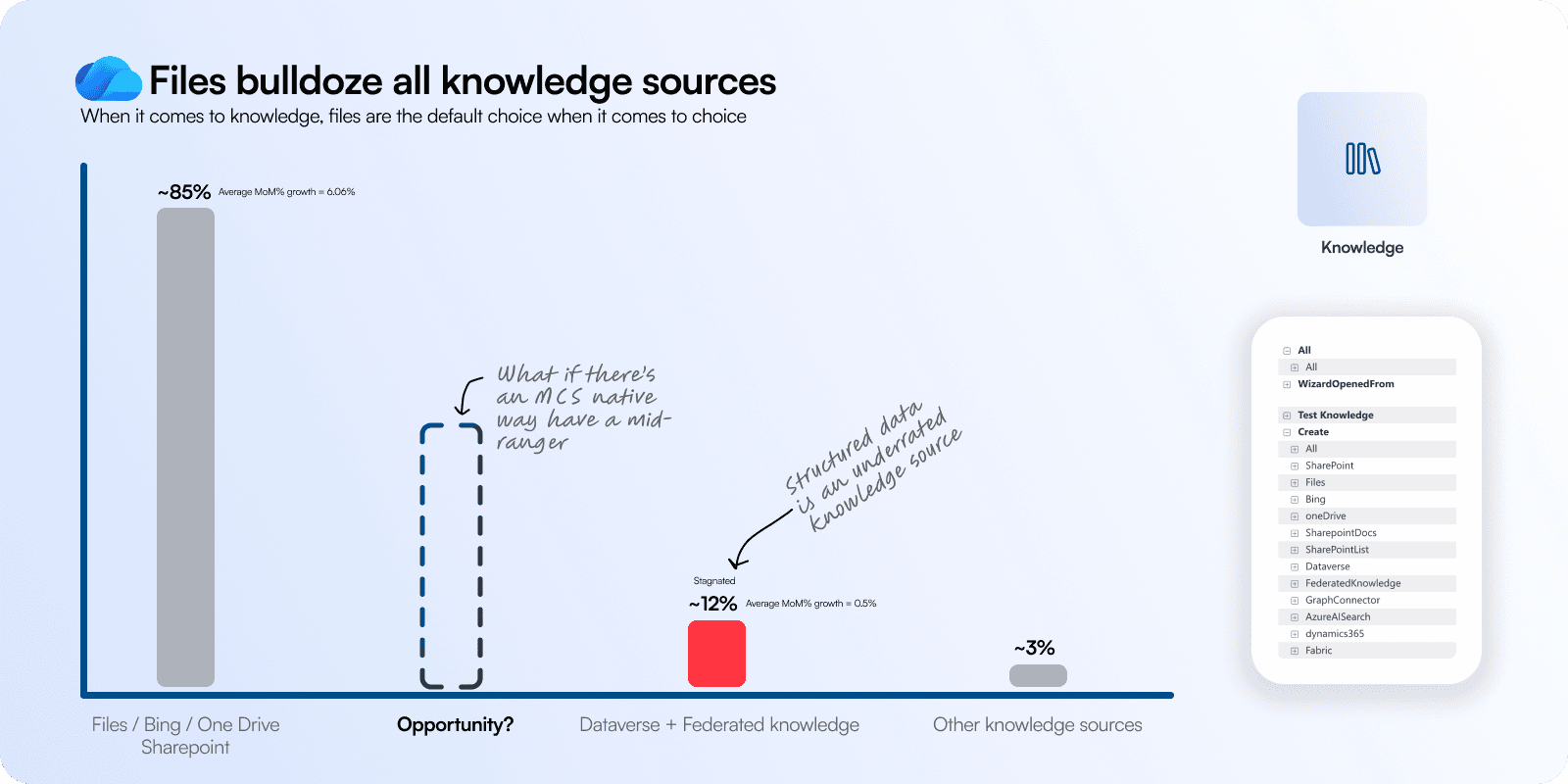
When we look at the usage of knowledge sources, traditional sources like Files, Bing, OneDrive dominate the suite. More than ~85% of all knowledge sources are these with 6% MoM growth. There's no problem, however as files grow and change admins if they choose not to update agent settings will eventually start losing out on context.
We need smarter more forms of knowledge sources that grow intelligently with agent use, and dataverse + federated knowledge could be that. Here's why:
They are right next in line with about 12% usage but very little growth
Structured knowledge has more objective qualities in terms of data
They are currently made in powerApps and new makers have no clue how its built
What good is an agent which can't remember?
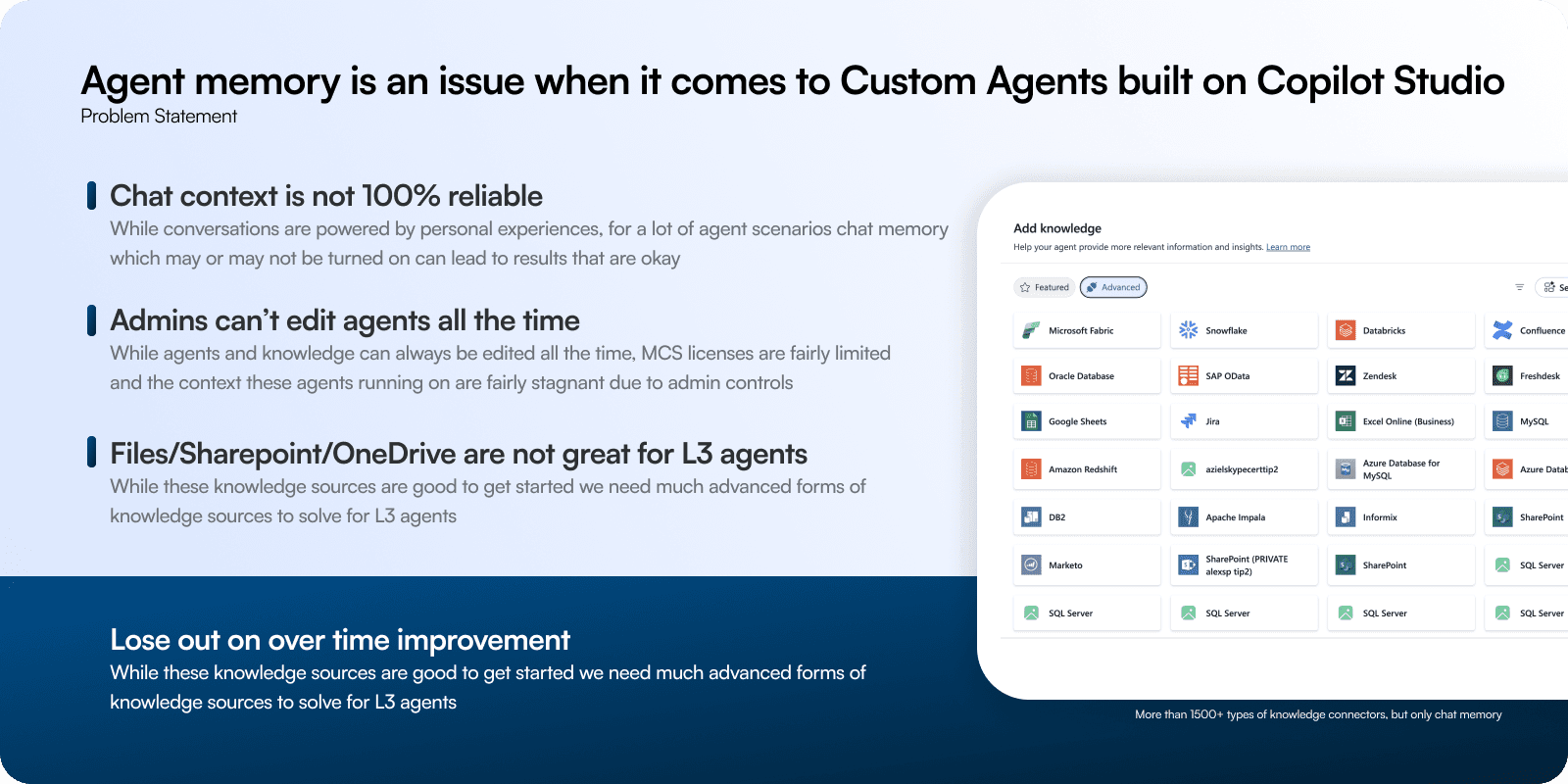
Agent ROI is also dependent on consistent usage. As the promise of genAI rests in the future, a lot of agents have their own solo contexts with users/people they interact with and it is immediately forgotten once the session ends - in external channels.
Teams and Copilot have an edge here with larger context, but then again - how often does a user have an incentive to go to an agent and talk again once they have forgotten. Chat context is growing as a trend but it still continues to be a challenge despite models getting smarter.
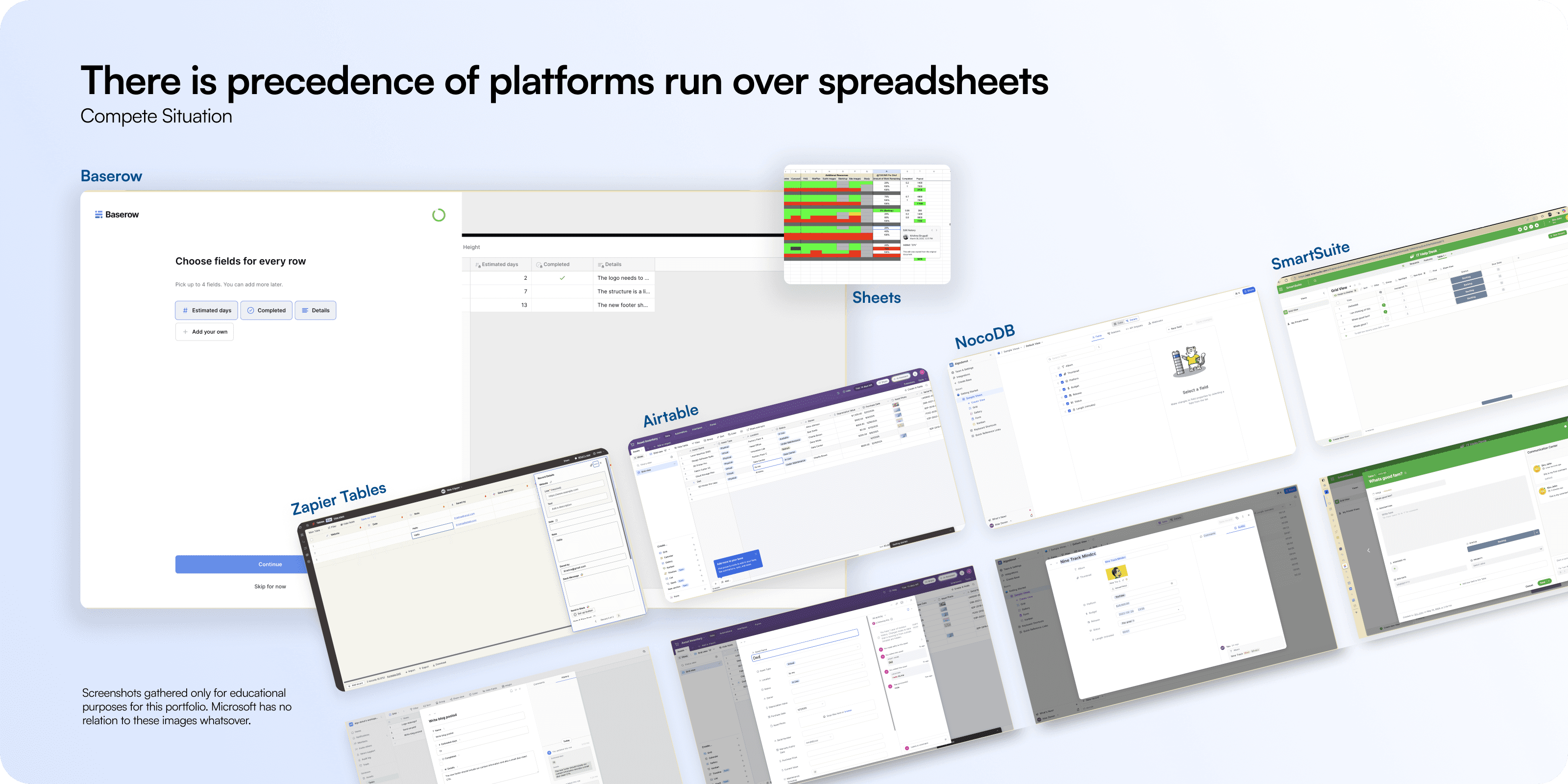
A lot of products are using spreadsheets in the market as a tool to augment records that are powered via forms or chat. A few noteworthy examples that crossed my eyes during design research were: Zapier Tables, Airtable, NocoDB, SmartSuite, Baserow, etc.
These products have a dedicated spreadsheet database powering a lot of flows and now powered by AI. This particular approach to us is what sits within a native MCS database vs an extremely well configured structured dataverse table. This also implies that customers on MCS can be upsold or cross sold dataverse which is one of the central business mandates to our charter.
Users of MCS are multi-level
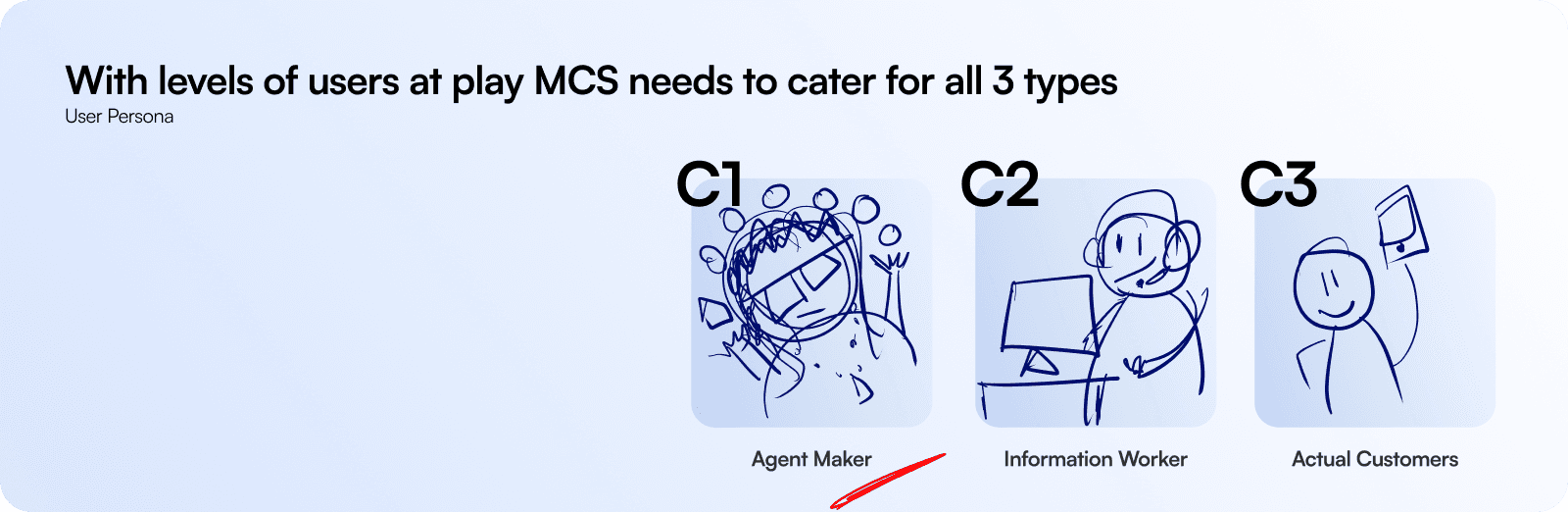
While AgentMaker is generally the central user to MCS, it also has very little consideration for C2 and C3 as they fall outside scope. However, C2 and C3 does give a lot of color on what kind of agents are being built and used on the platform. When we start empathizing with C2 and C3 a lot of C1 problems/aspirations are cleared from a newgen agent building platform.
Jobs-to-be-done
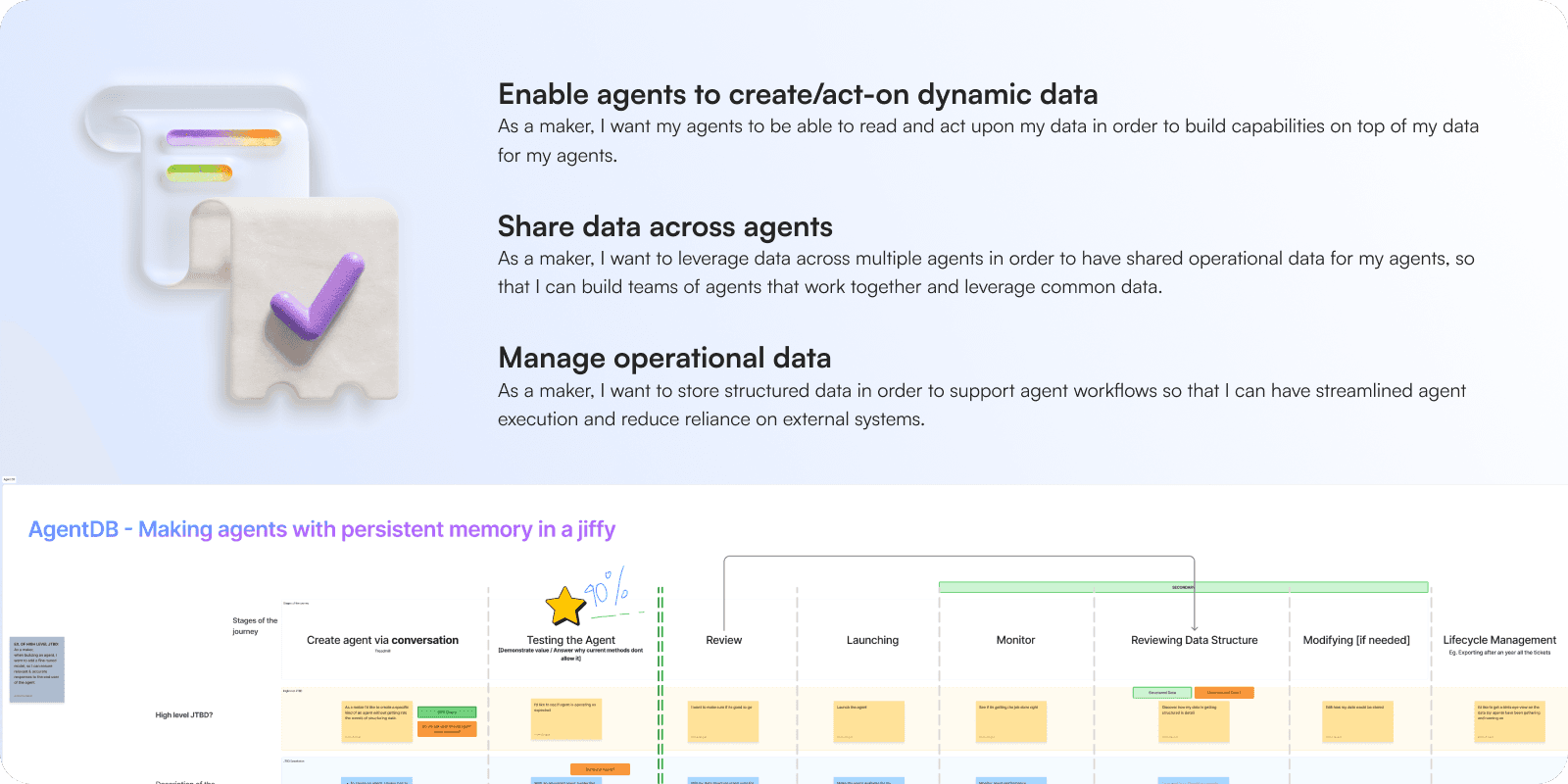
Despite creative differences, JTBD framework made it clear over the kind of feature we needed to push for users, but the MCS crew wasn't sold on the story just yet. They wanted atleast some evidence on if the feature has any pull in it - though it sounds aspirational.
It is also important to note that dataverse features have always been extremely pro-maker and technical which is not overlapping with the audience MCS is trying to cater to.
We ran 3-4 similar experiments in various entry points to guage interest
Results?
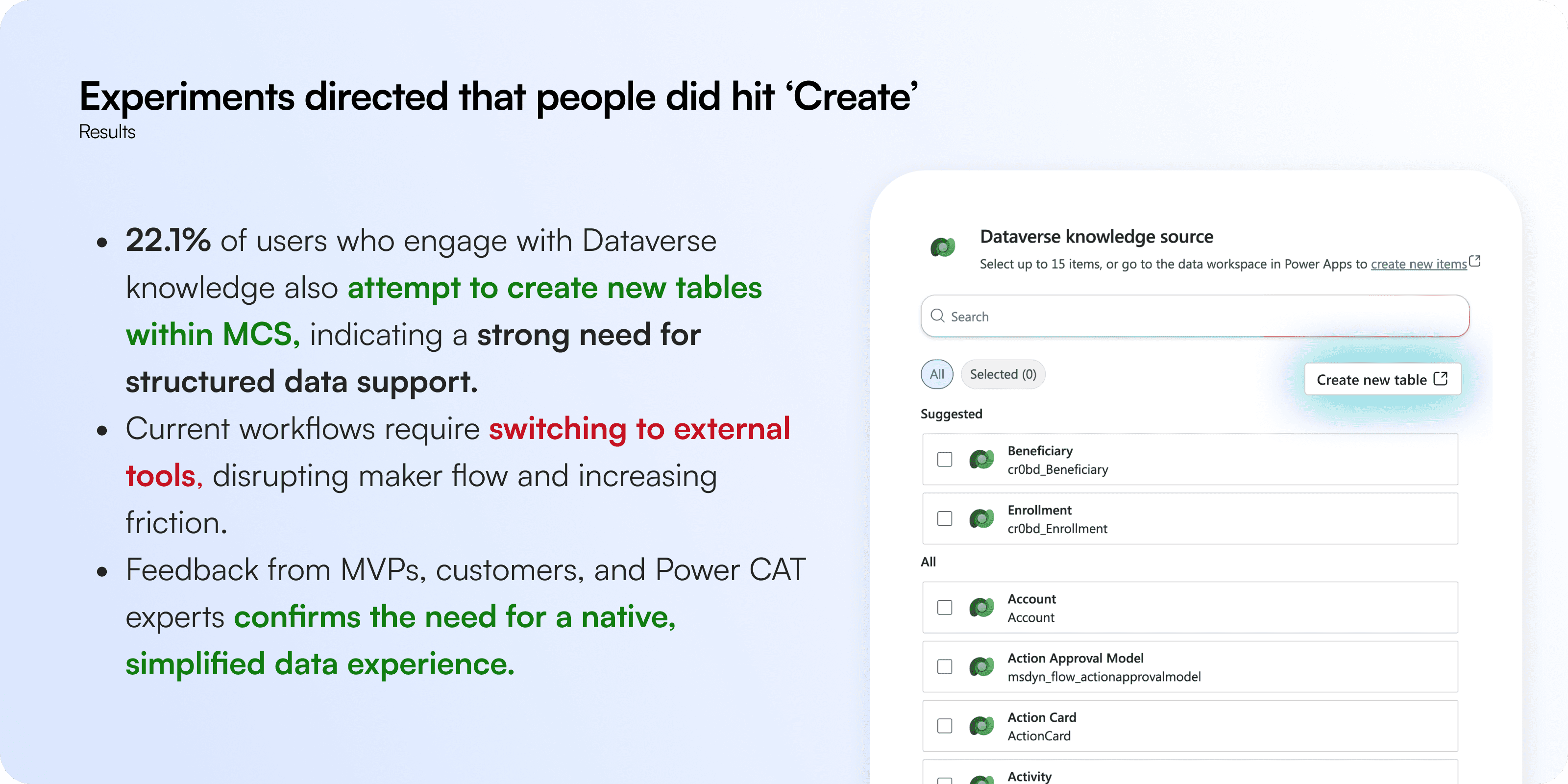
Makers did hit 'Create' out of curiosity, and with progressive disclosures or ideas adding that single button itself gave us the sign that this is worth experimenting upon. While this feedback is quantitative, we have a monthly Power Customer Advisory Teams [CAT] sessions where we guaged interest for this kind of a feature natively built in MCS and the response was positive.
While MCS positions itself on individual licensing models as core business, enterprise customers generally cover significant volumes especially when bundled inside Power Platform. This hence covers enthusiastic small enterprise makers, but a significant chunk of Dataverse users are also on MCS using extremely specialised knowledge sources and hence, the experimentation.
Building a game-plan
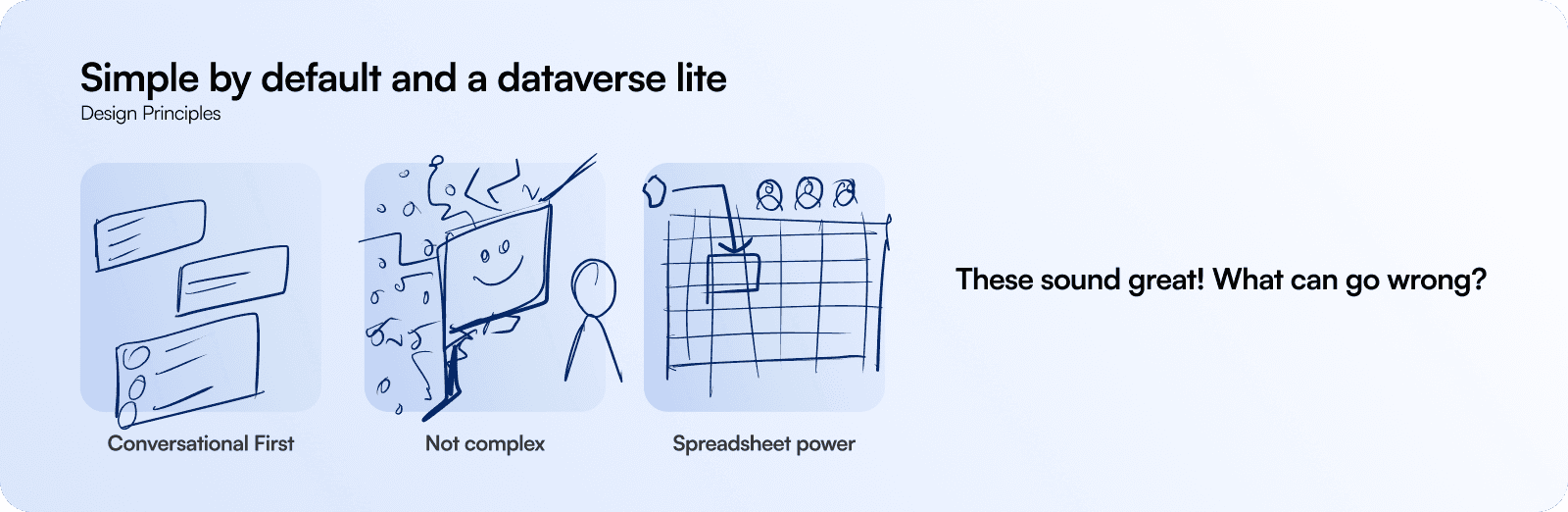
When aligning the entire PM Design and Engineering triad of BAC, it was pretty easy to begin with in the first place. Everyone agreed because it is MCS it has to light and conversational first and easy for a first time maker.
It also dwelled deeper to the fact that it has to be very simple and light weight with very little complexity and setting up for the user. They should be able to manage it later effectively.
Because BAC has built tables before in Microsoft Power Apps, for them the feature is essentially a wrapper to existing powerful capabilities that exist in Microsoft ecosystem.
Here's where we went terribly wrong
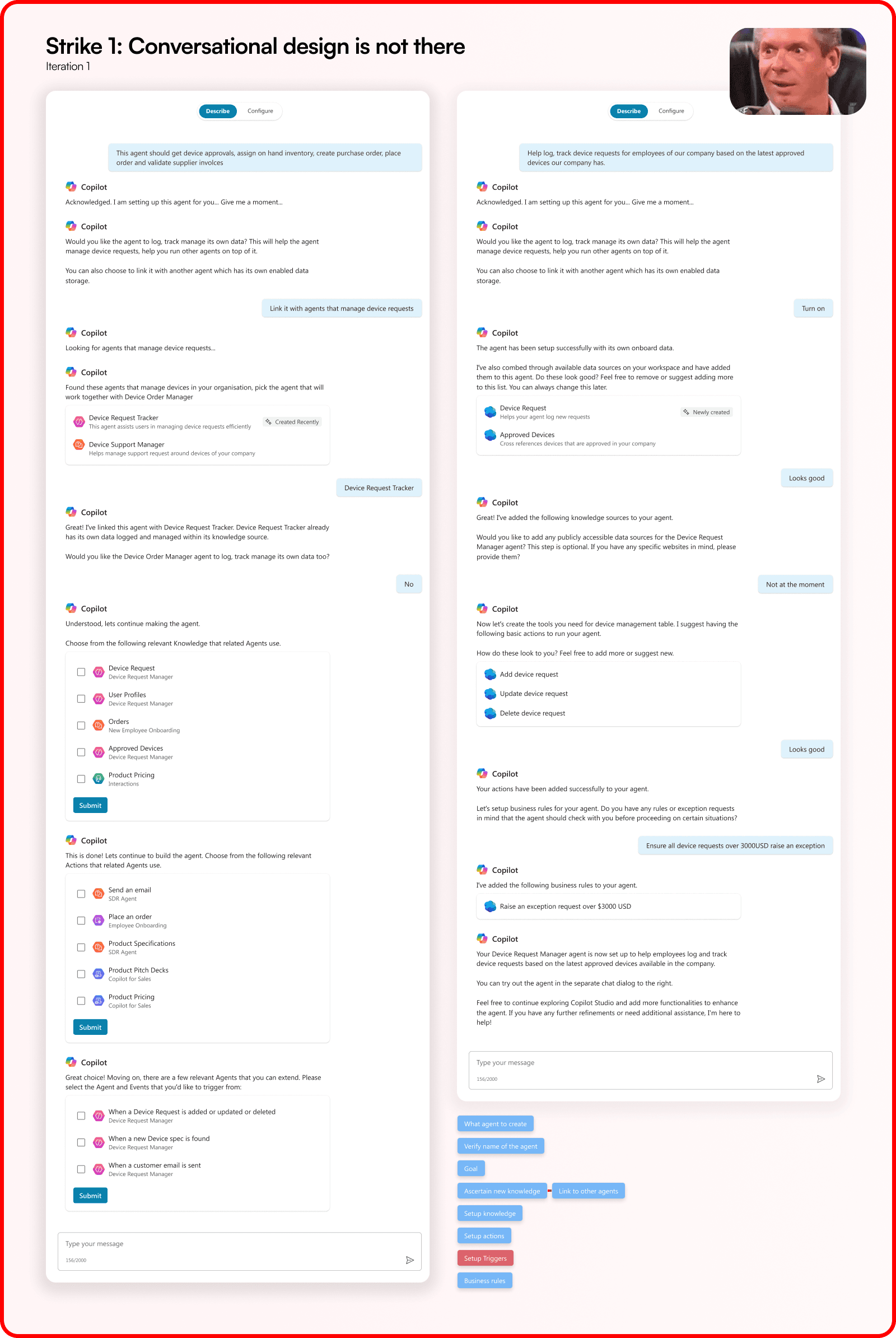
I started with adaptive cards to select responses that were needed to build the agent as my first run/onboarding flow. The current Natural Language [NL] builder works on rule based BOT framework where it would as the following fixed questions in the very same order:
Describe the agent
Verify name or change it
What is the agent supposed to do
Add knowledge or drop files
Hand off to Agent overview page to continue editing that has been already created. While adding teeth to conversational builder is always better, what did not sit right with me is - Why am I not doing this for all 1500+ knowledge sources? How can I pull this rigid chat framework to this unproven feature? A strange realisation that came after, if NL Builder fails to surface any smart table will the feature go down in drains?
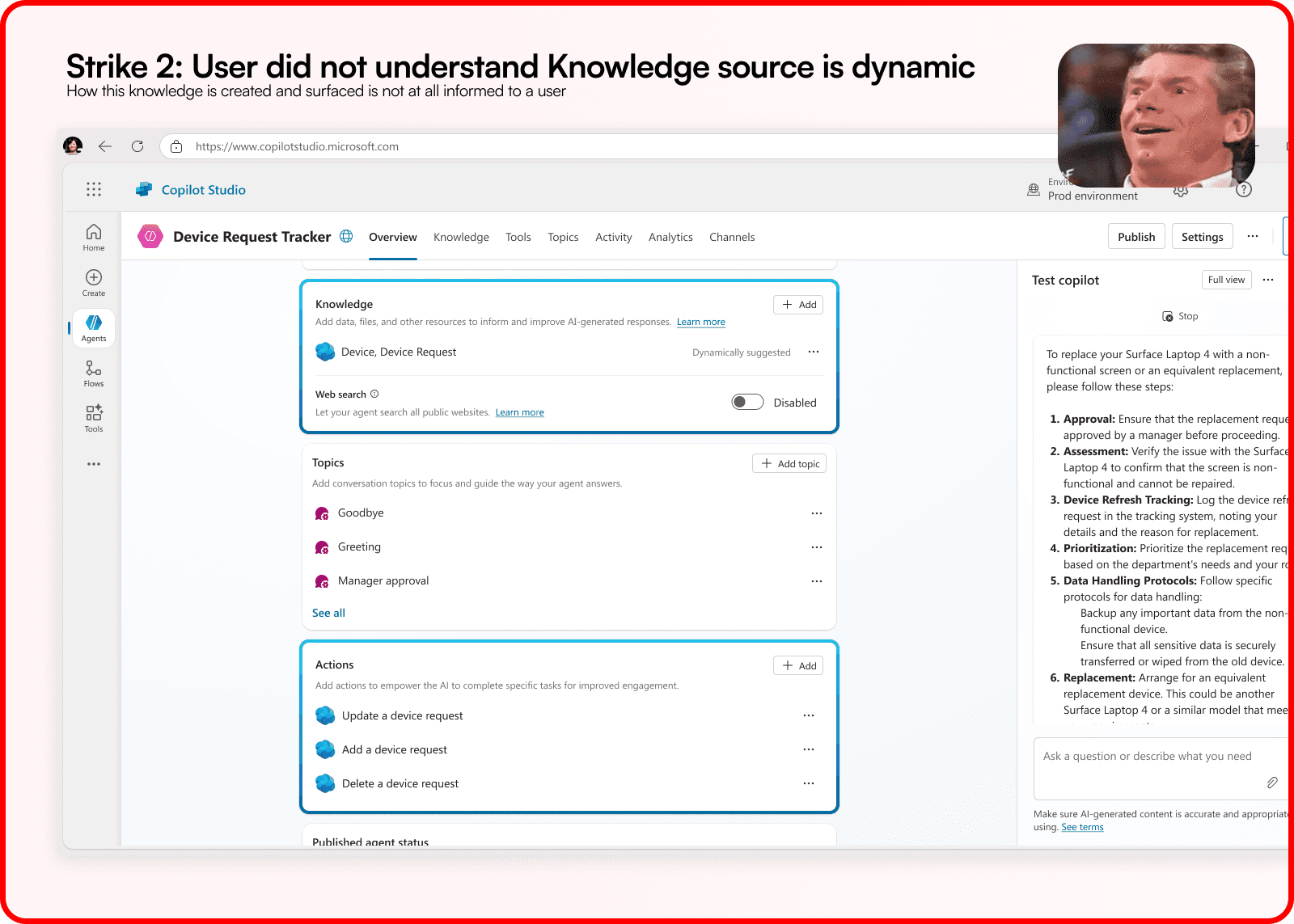
In our early usability sessions with PowerCAT users, it was clear that users did not understand where did the table go and sit in the name of simplicity when we presented the vision. It also was abundantly clear that too simple is also bad and zero friction means no recall.
As tables are very hard to move later and run on foundations built months or even years ago. If they are not setup with right intentions the table may fall apart when agent usage/application evolves with no adoption. But, we thought we have a very advanced table editor available with us, maybe that should do the trick.
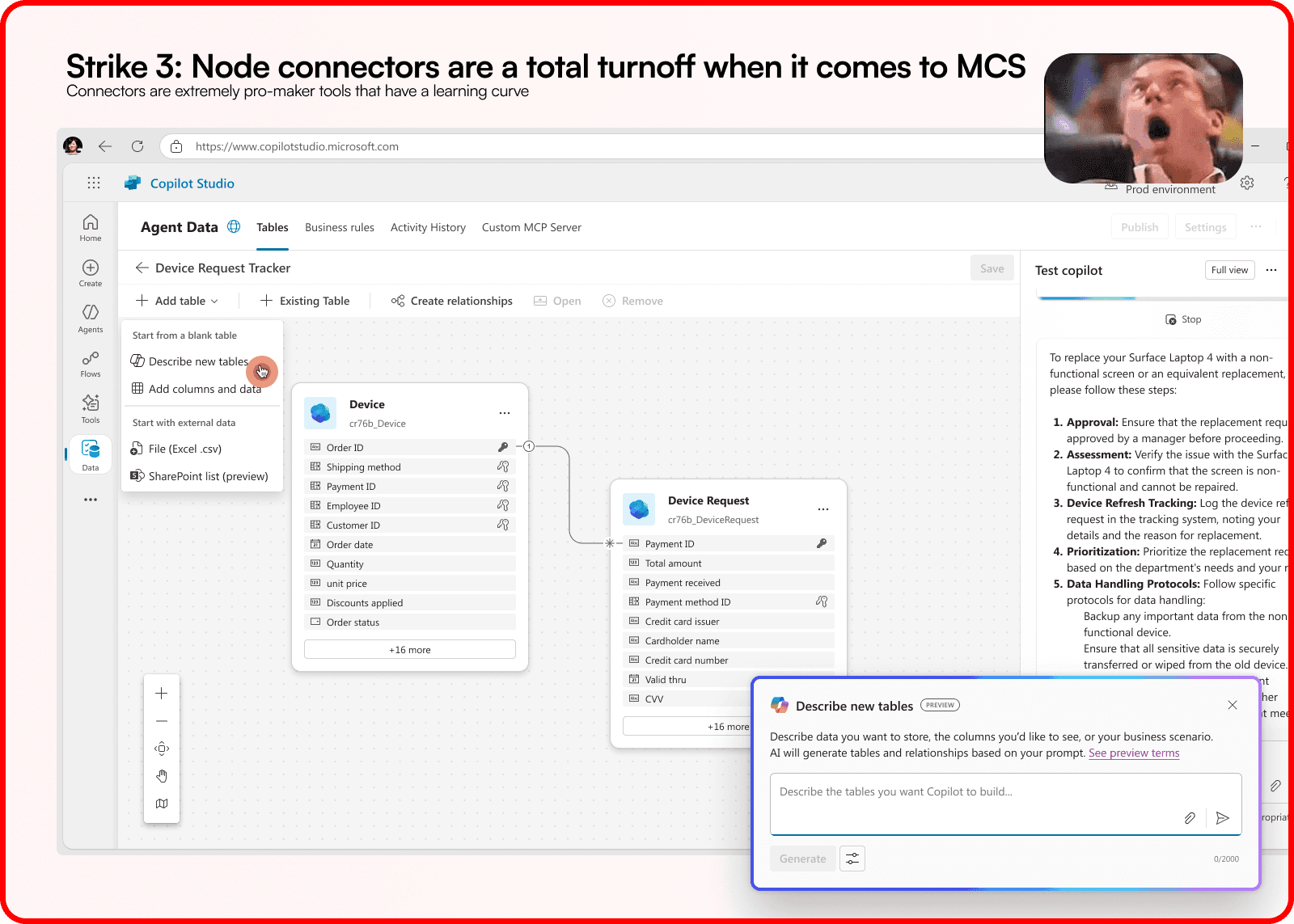
When you click on Device, Device Requests, the application redirects you to this pre-made feature on PowerApps where you can connect nodes and actually create columnsss of tables and link them with unique identifiers and connect columns.
I was amazed with how much engineering capabilities are available by default and it came down by seasoned LT, that means there's direction available. At the same time there's this nice Natural Language builder where you can describe your tables and Copilot would build it for you. What can go wrong? Most design effort was spent on resolving the feature here, which was barely cared about.
I was terribly wrong: In this strange context Platform < Product and timing was against me
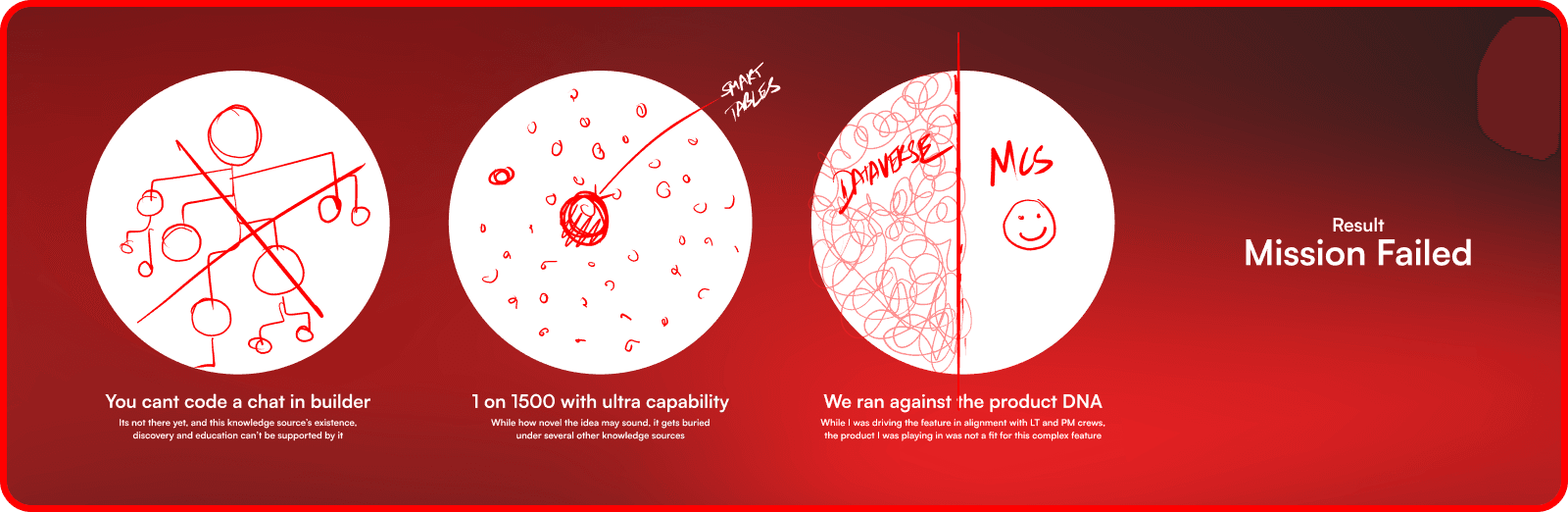
BIC Agent Cloud while being a platform doesn't have autonomy in a product which is on the front cover of the company. While LT of both products are the same, internal autonomy varies and product owners prevail teams who bolt features on them. Above were some reasons why our approach was shut down terribly:
Natural language builder can't be made deterministic for one knowledge source
1 of 1500 knowledge source lop siding the product for its unproven function
MCS is a light weight maker's product, for such complex usecases powerapps already exists
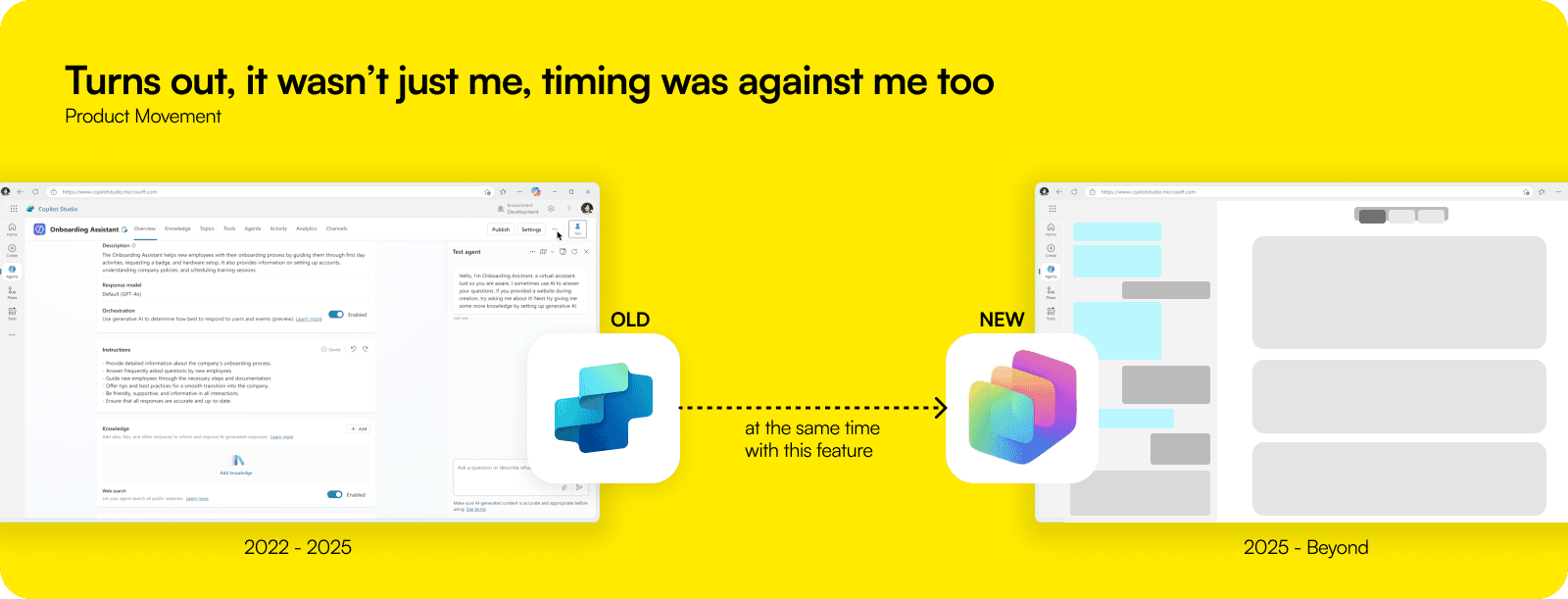
And funnily timing got me good… MCS was having a full overhaul and this feature was one of the final nails:
Video posted on Linkedin by Jack Rowbotham on 28 October 2025 as a teaser to this overhaul
With a case being made by all the teams bolting features on MCS, the crew was right on how product was being pulled apart in the name of adding functionality. At the same time, with 3 years of GenAI and vibe platforms picking up, it was about time MCS went vibe first pattern.
The toolkit of MCS will grow even further with time and the platform can't take so many controls served to users. It fundamentally also goes against the thesis that agentic building is not agentic itself and evidence supports learning curve has significantly increased over the years.
Tonality between teams, availability, intentions, potential restructuring was also one of the reasons why the feature path was strained.
Dead silence for a month
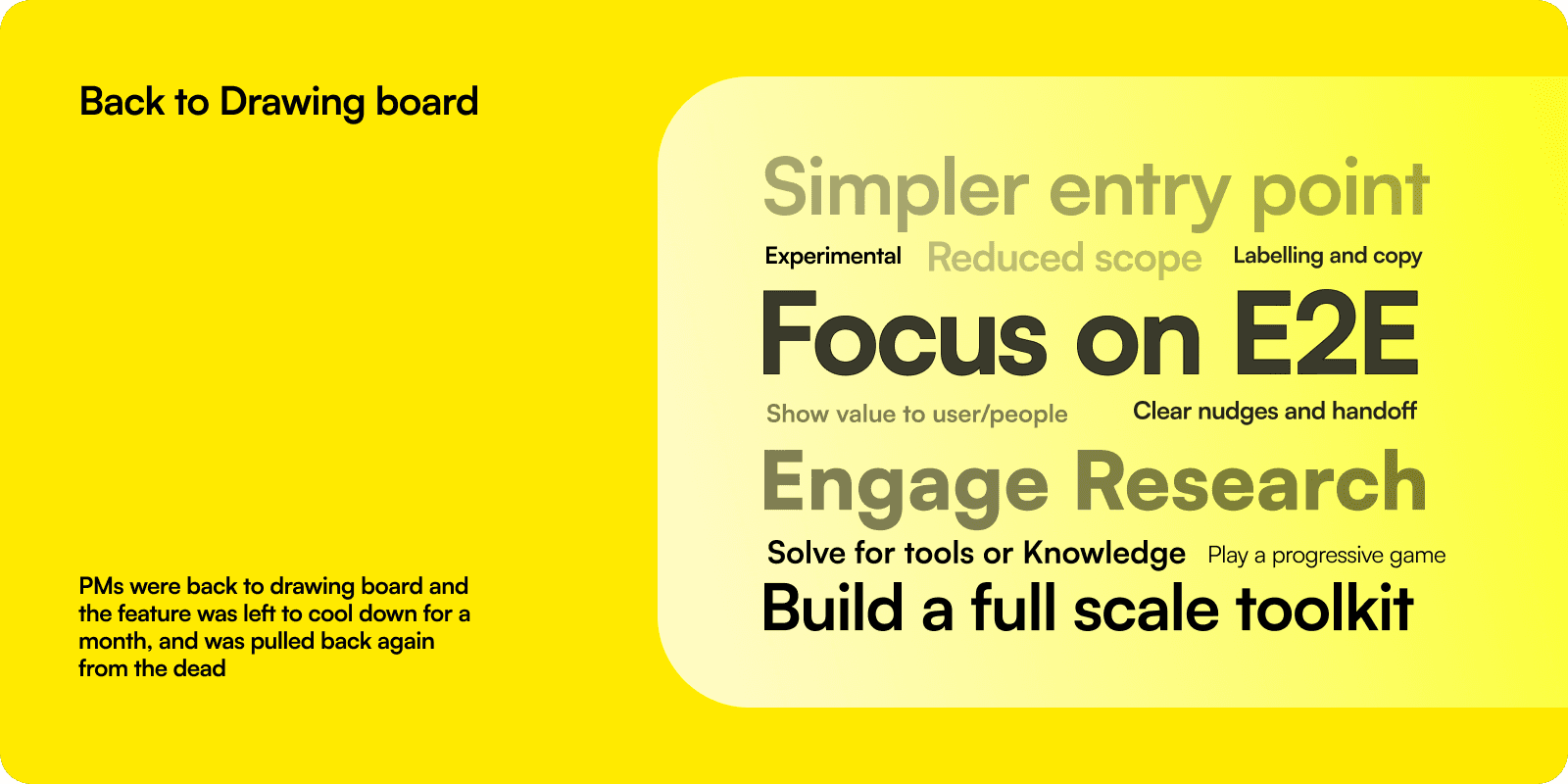
It seemed that we had given up on the feature, or maybe plans moved. There were alot of feedback given that helped me learn a lot. A few things I would have done differently are listed above based on the rough situation we got in - of which the end-to-end understand stood out. A key learning was also discovering the stake holders in the entire story which also was a mammoth task to figure out in the first place. In that break I got to focus on other features that were MCS native like - agent glossary, document generation, MCP server, knowledge page, etc.
Additionally, as MCS was going through an overhaul - the idea was also mellowed a little to conquer in stages to private preview in Ignite and release in Build, knowing alot of what we create today will break.
No, we were not done yet, and we flipped strategy this time
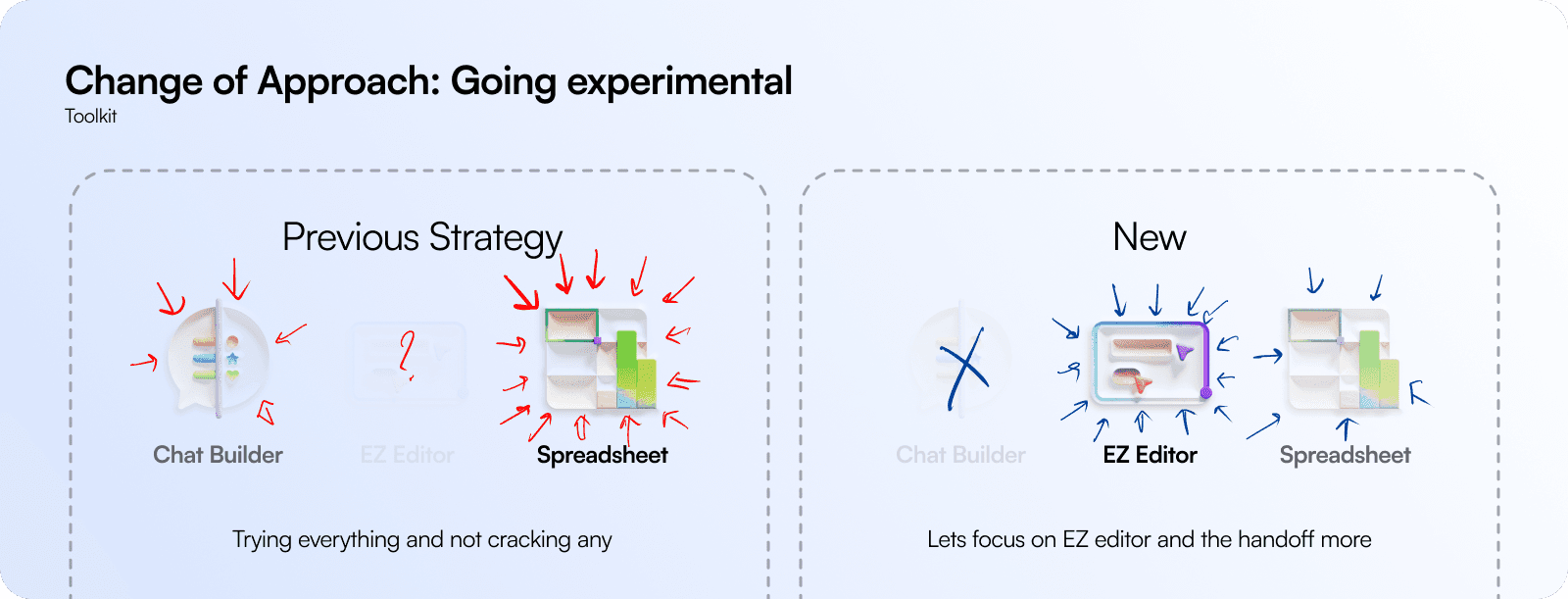
If the final gates for this feature is Users AND MCS lets lead with that.
The previous strategy rotated around the chat builder as our foot in the door which miserably failed. It is given that NL builder was a concern of another team working between MCS and M365, which is beyond our control. Our focus hence shifted from Spreadsheet to an EZ editor. This is an idea I came across in my compete studies and lead with that.
Building a narrrative
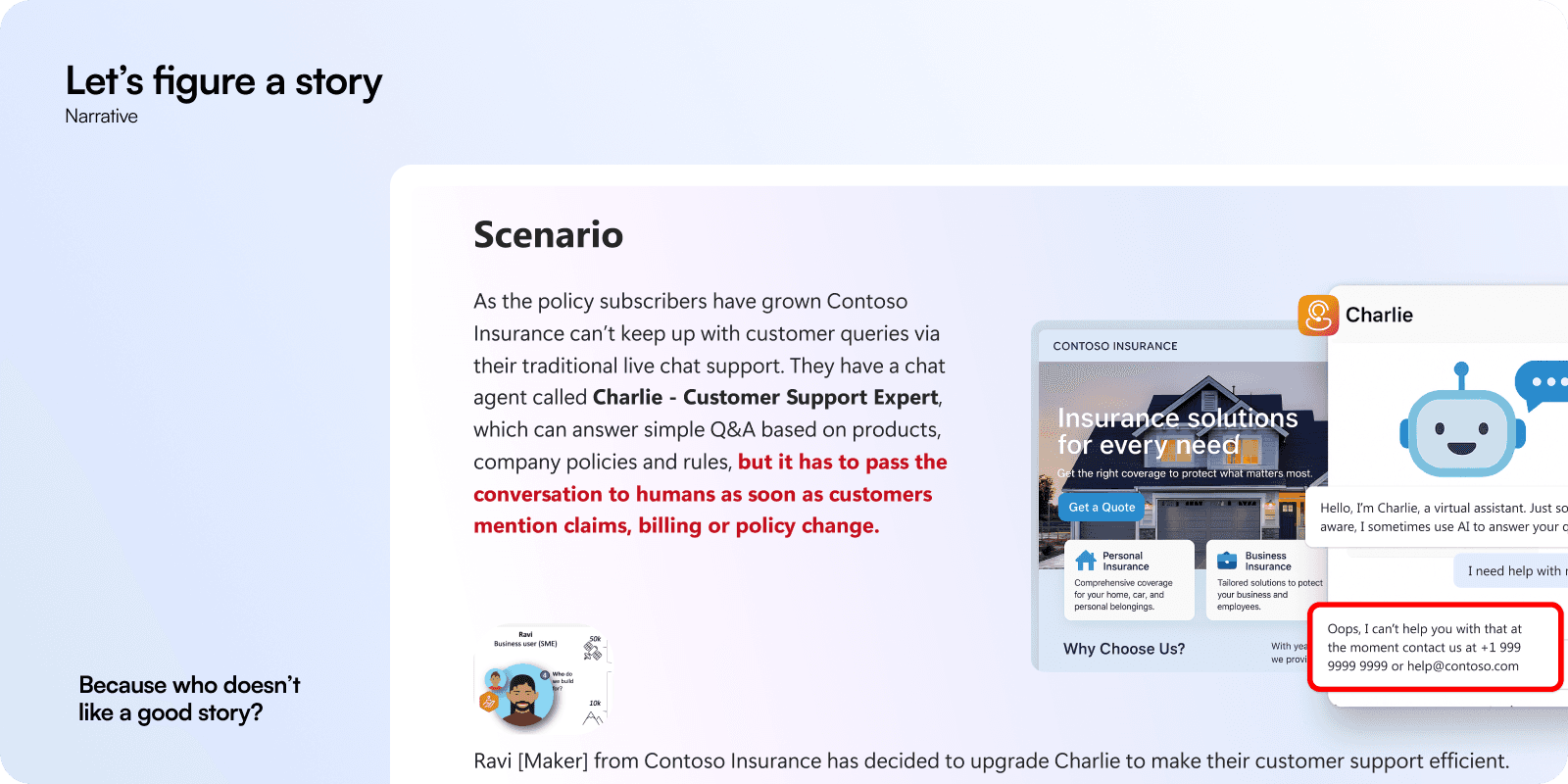
The idea was simple, a feature pitch will not help. A consistent E2E story that my audience can understand, quote others, and wrap their head around can only cut the cake. I made sure the scenario could fit in 3 lines so we invest more in the feature and not the specificity.
Fun fact: This was the same scenario presented to BIC LT and presented to users outside the company as PowerCAT and blind user tests.
Easing our way in
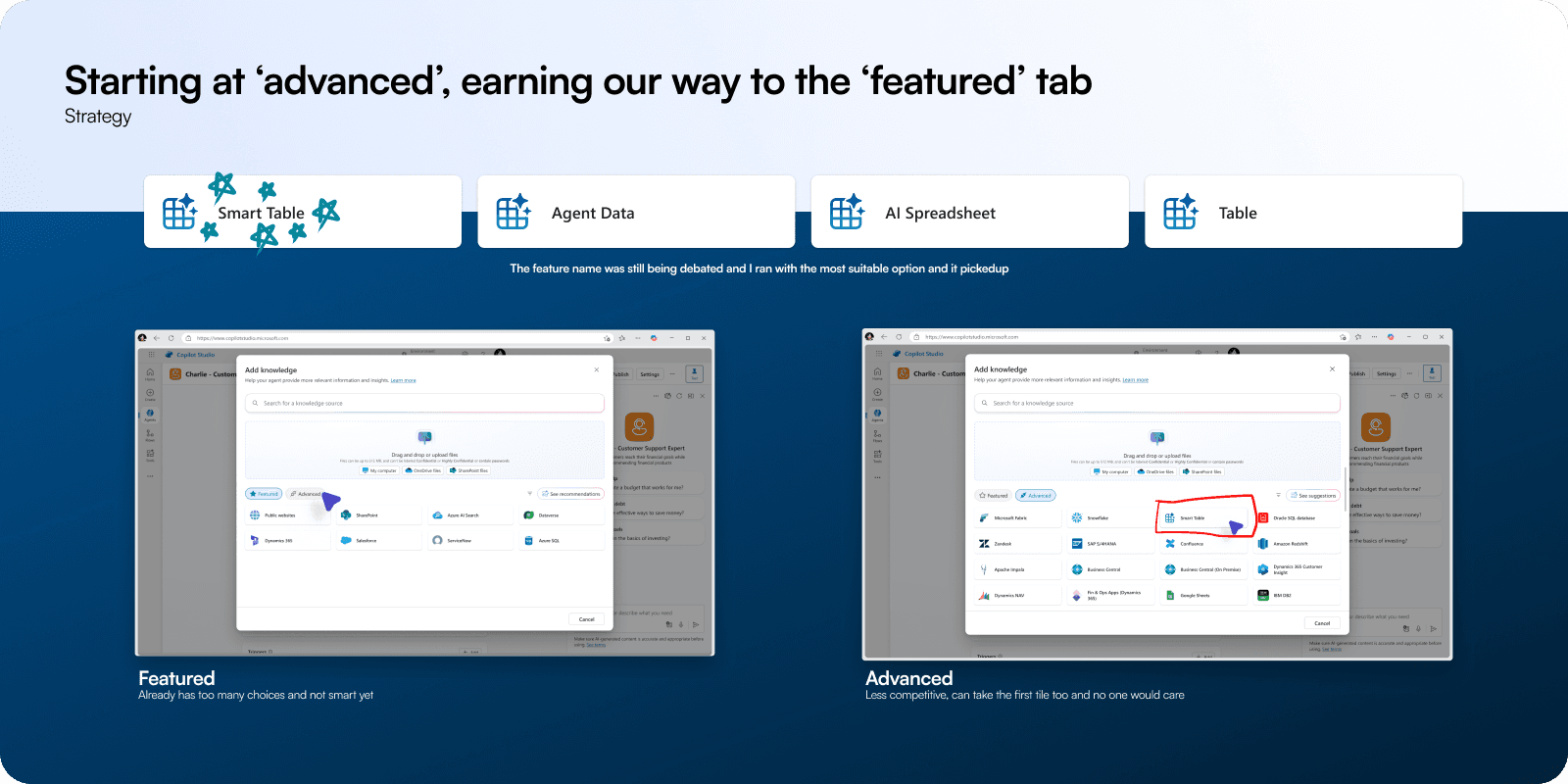
It is not necessary the feature has to win all battles on day 01, it should realistically make way into the product first and prove utility/merit over time. That's how usually knowledge sources are ranked and placed on the featured page, let's start with the easiest entry point and make our way from there.
A user has to make necessary investment into building the table with positive support with AI
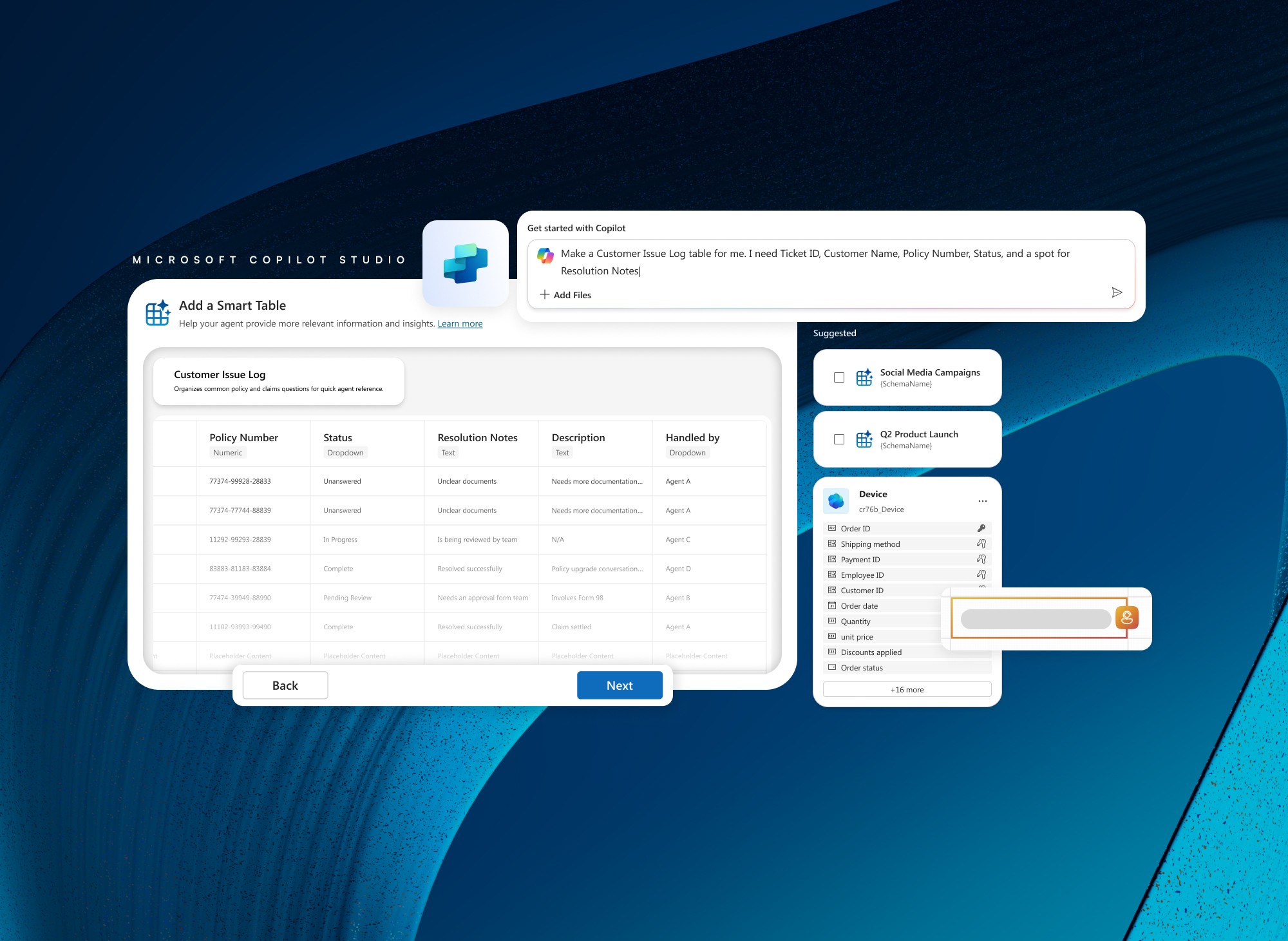
Earlier, we barely gave user any foresight into the kind of table they are building for their agent. That was done with best intentions to not complicate their user journey and get them going fast. But with no recall and awareness, and no NL builder realistically can support tables we are toast. This time strategy was flipped, the table would take a tad bit longer but lets make it more engaging.
If knowledge modal is my permitted canvas so be it, the idea was how can we best use the real-estate available to us within the confines of MCS. This also leans into the fact that how many components we can use from both experiences [EZ builder and spreadsheet] together, so they don't have to be developed twice.
And this visual was a hit!
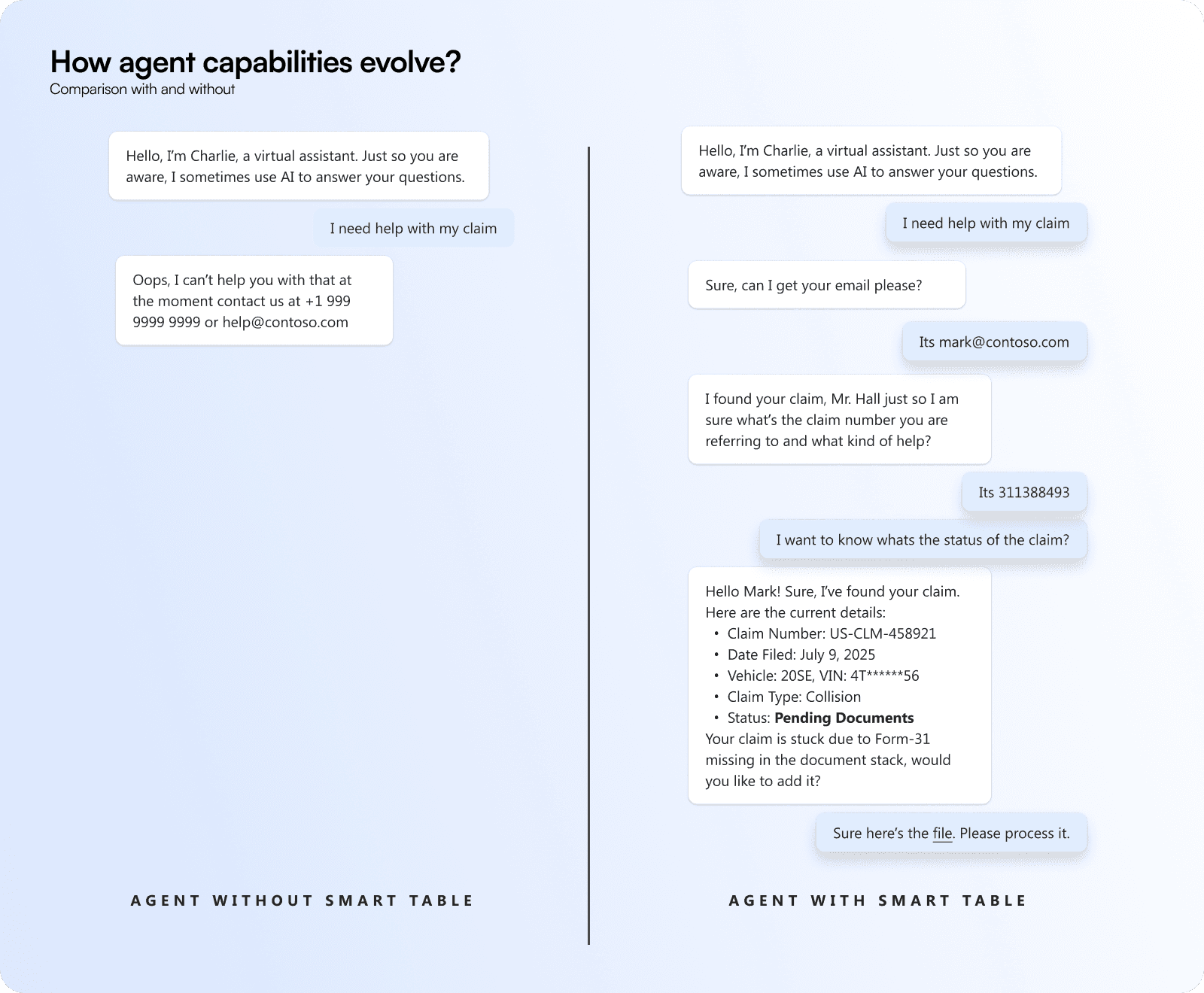
When you make it explicity where your agents would fail vs what kind of usescases it would succeed even for the most MCS LT this was reassuring that the step is in the right directions as agents currently are notorious to break chat flows or loop into eternity.
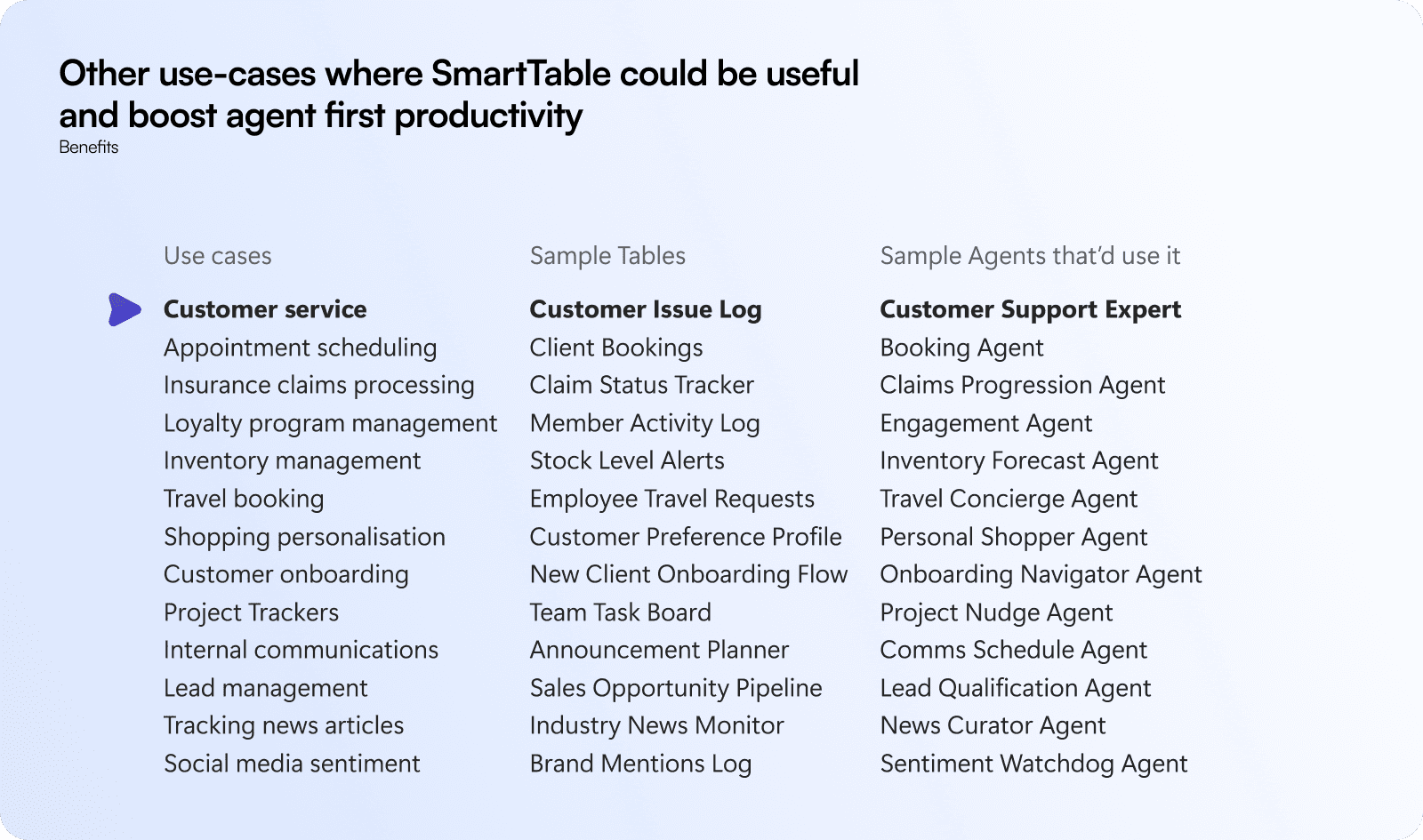
The purpose of this story was to ensure that this feature is not just for 1 usecase, but for many use-cases that can potentially be built within MCS and very little automation. The tools needed and the usecase can only be run with instructions + knowledge source. No writing flows, no flow builder, no agent tools - nothing.
And that stuck with our audience till the signoff.
Research
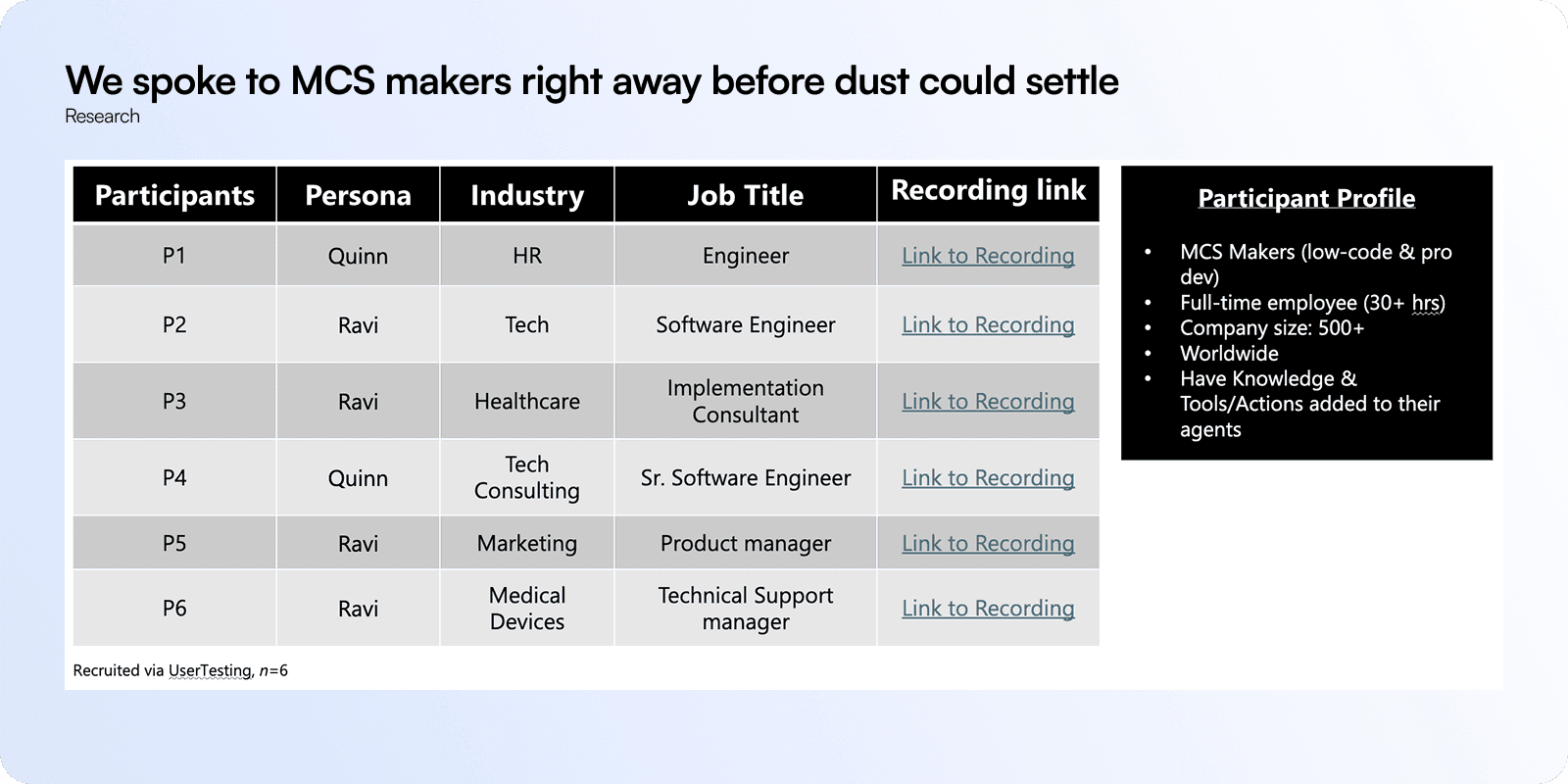
We quickly scrambled to setup screeners, a test plan, and mocks to try this with a blind user test who were good at MCS. We did not consider PowerCAT as our decision maker as we didn't want bias to influence our proposition. As powerCAT users are generally familiar with BAC crew, there was a slim chance that our study could fall apart.
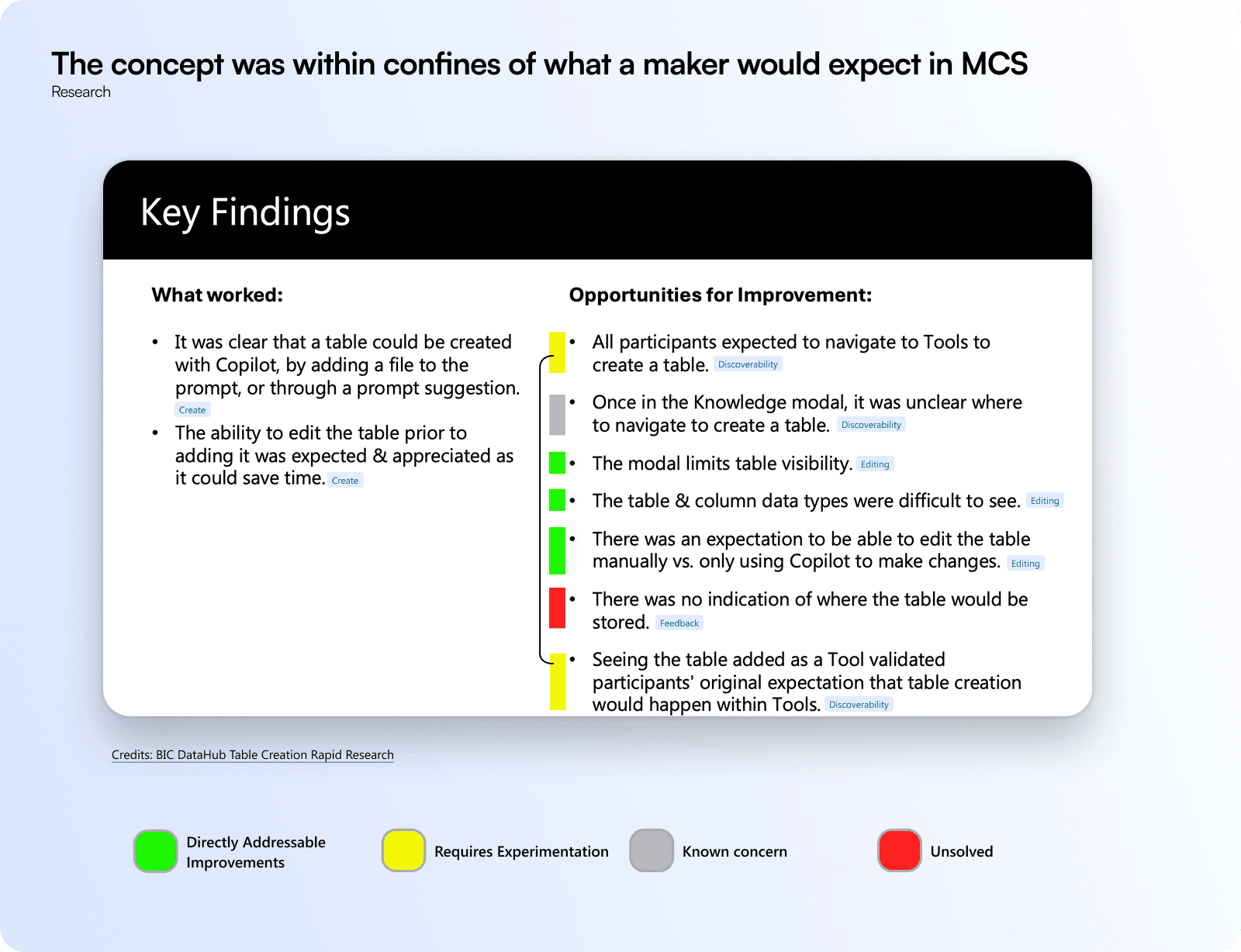
And voila! It worked, participants could see why copilot had a table builder and it did not feel odd to them. The task was although setup with objective of creating tables, none of the 6 participants felt the feature was too complex and should not belong in MCS.
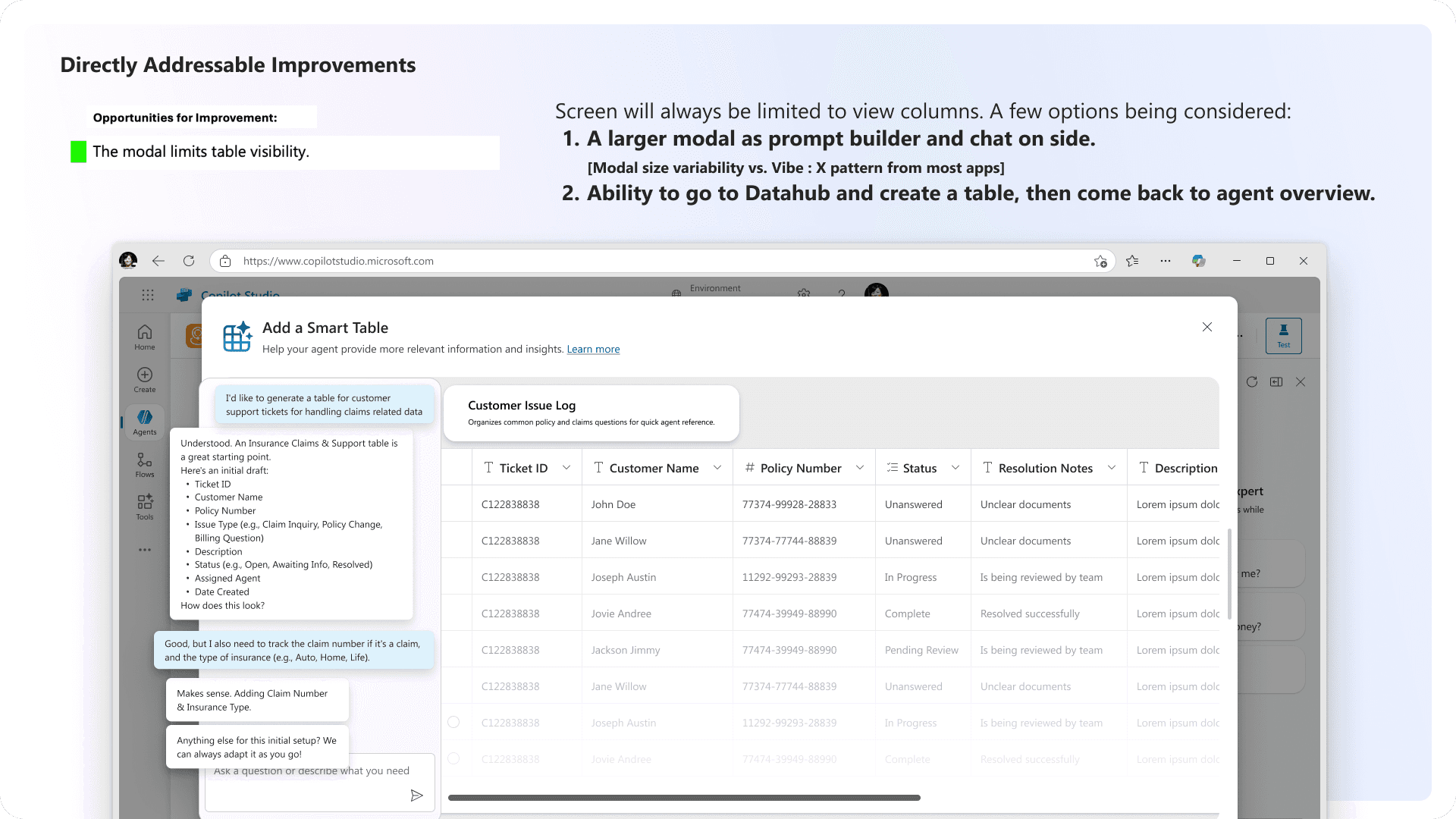
We have a bigger modal configuration specifically designed for this, but will be rolled out post MCS redesign as planned.
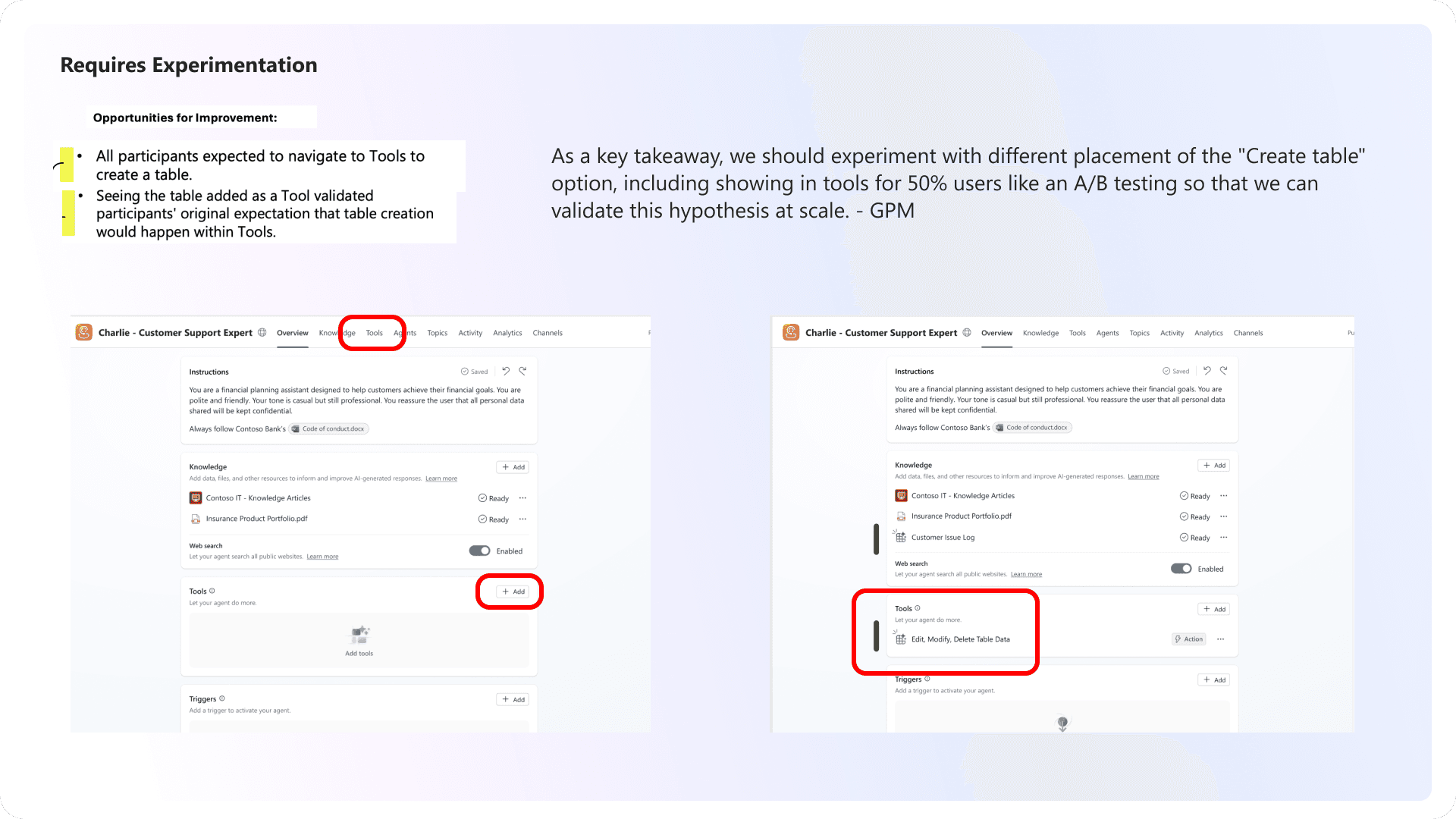
Our crew admitted that this is a subject of testing and we can see where it fits most logically as the user's voice wins.
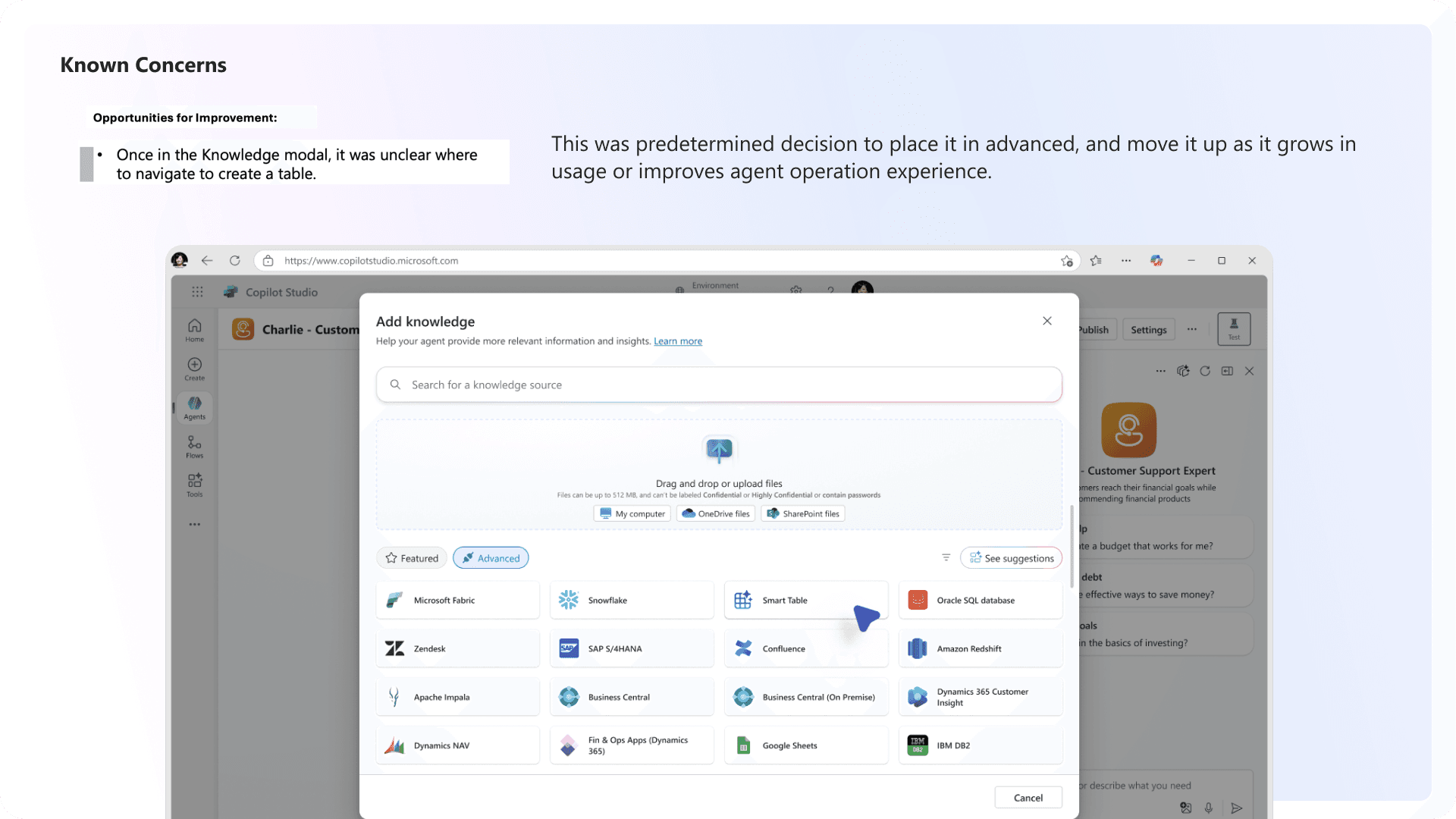
As mentioned earlier it was a conscious choice to place the feature in Advanced tab to ensure we are not jumping the gun without utility exposed.
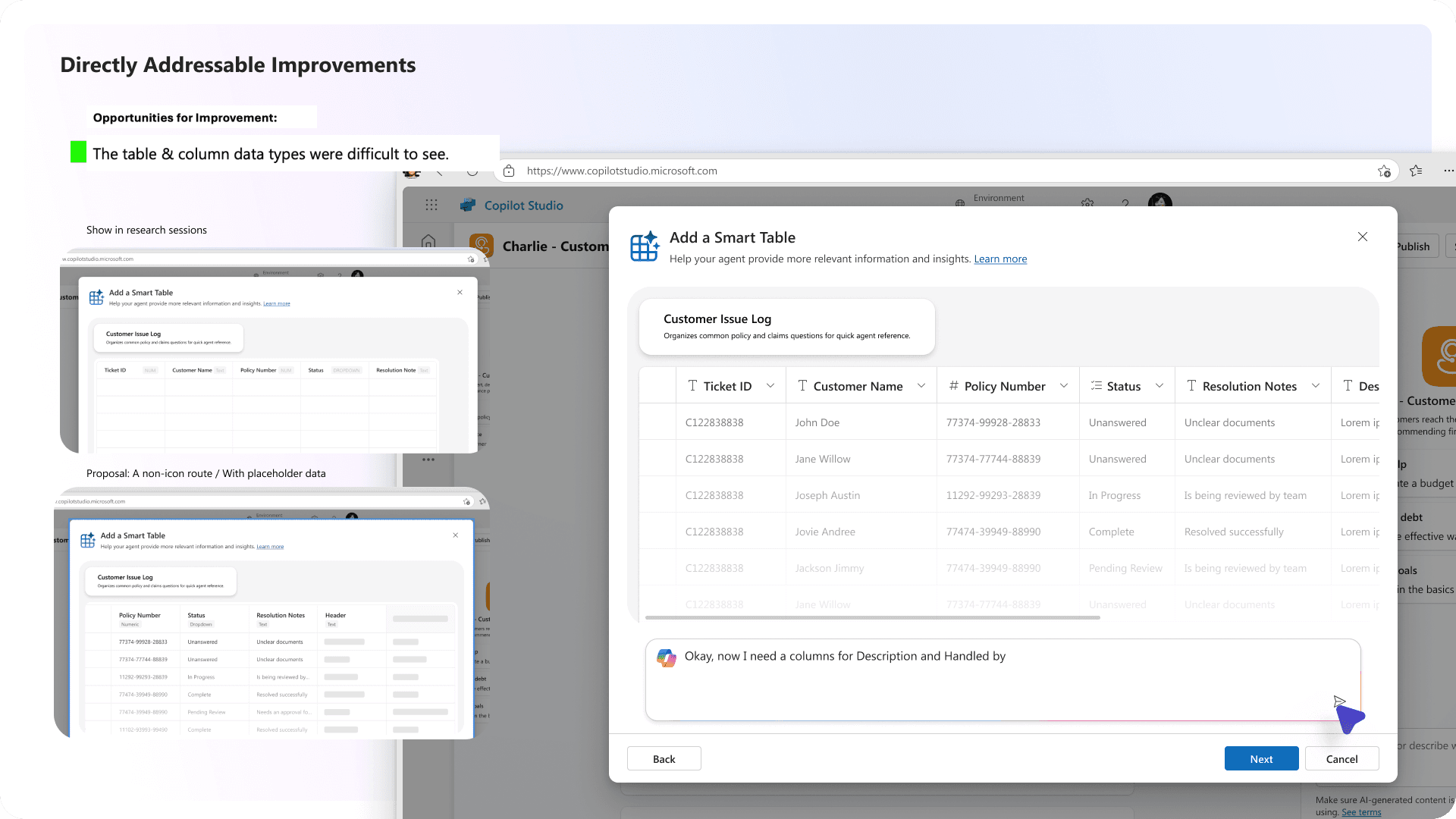
We improved the accessibility with placeholder content and icon data types to esnure the table was clear to users on how it is built.
Improved accessibility in table editor
As our grip on the story increased, we rolled out improvements quickly to improve the EZ Builder quickly. The engineering triad alignment conversations were super helpful in confidently moving fast while grounding ourselves in 2 user testing sessions, thereby gathering around feedback across the board.
And finally, when I was asked where would the data go?
I said SmartTable
With our major battles cleared, we were on to detailing the rest of the story for SmartTables including the landing and the table editor. The landing page patterns were set from MCS so it wasn't as hard to start building from scratch. It also ties back to the NL builder we conceived. With more features and knowledge management on the cards for Data tab, it is also understandable we go light and open for changes as things move in future.
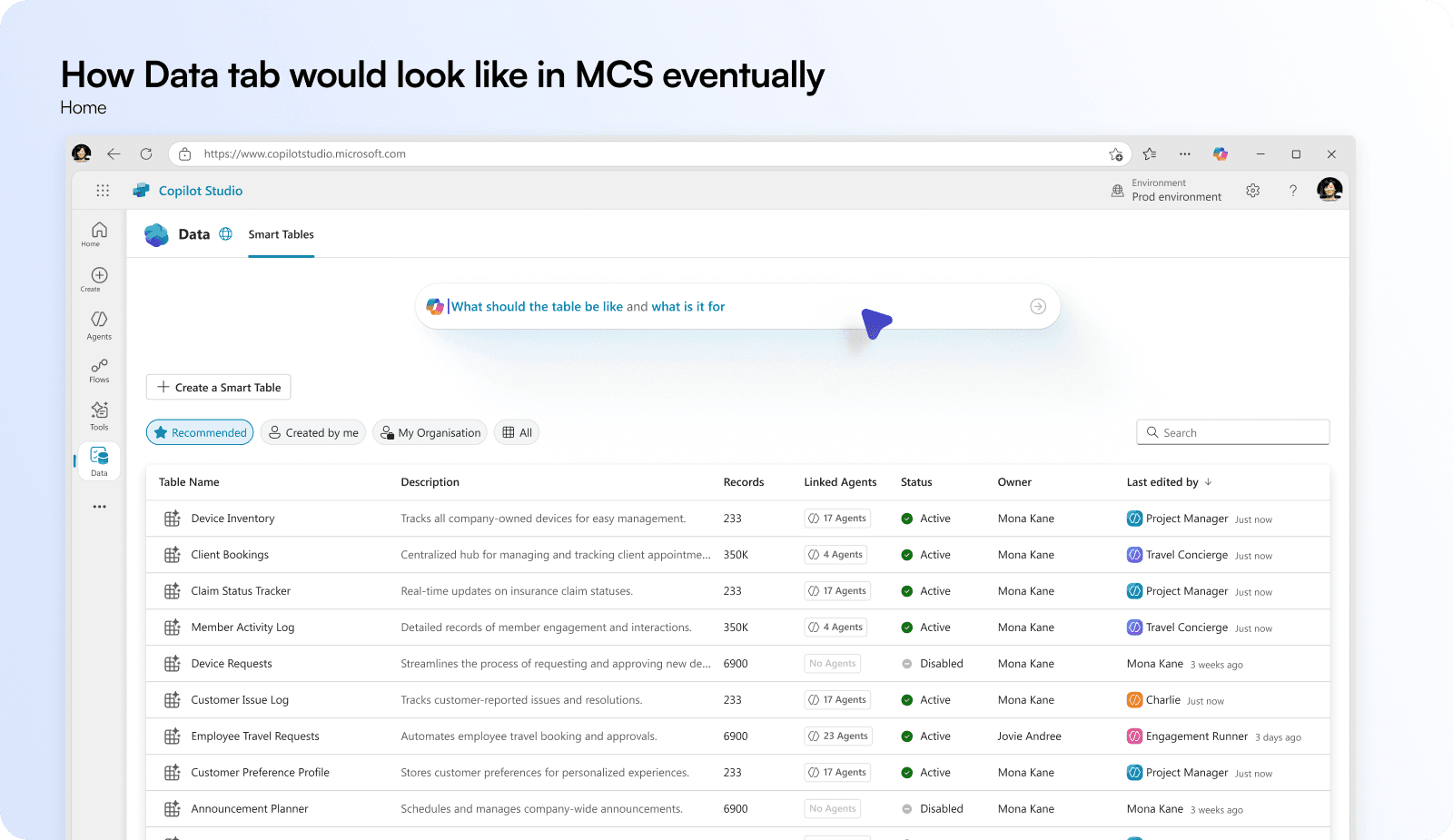
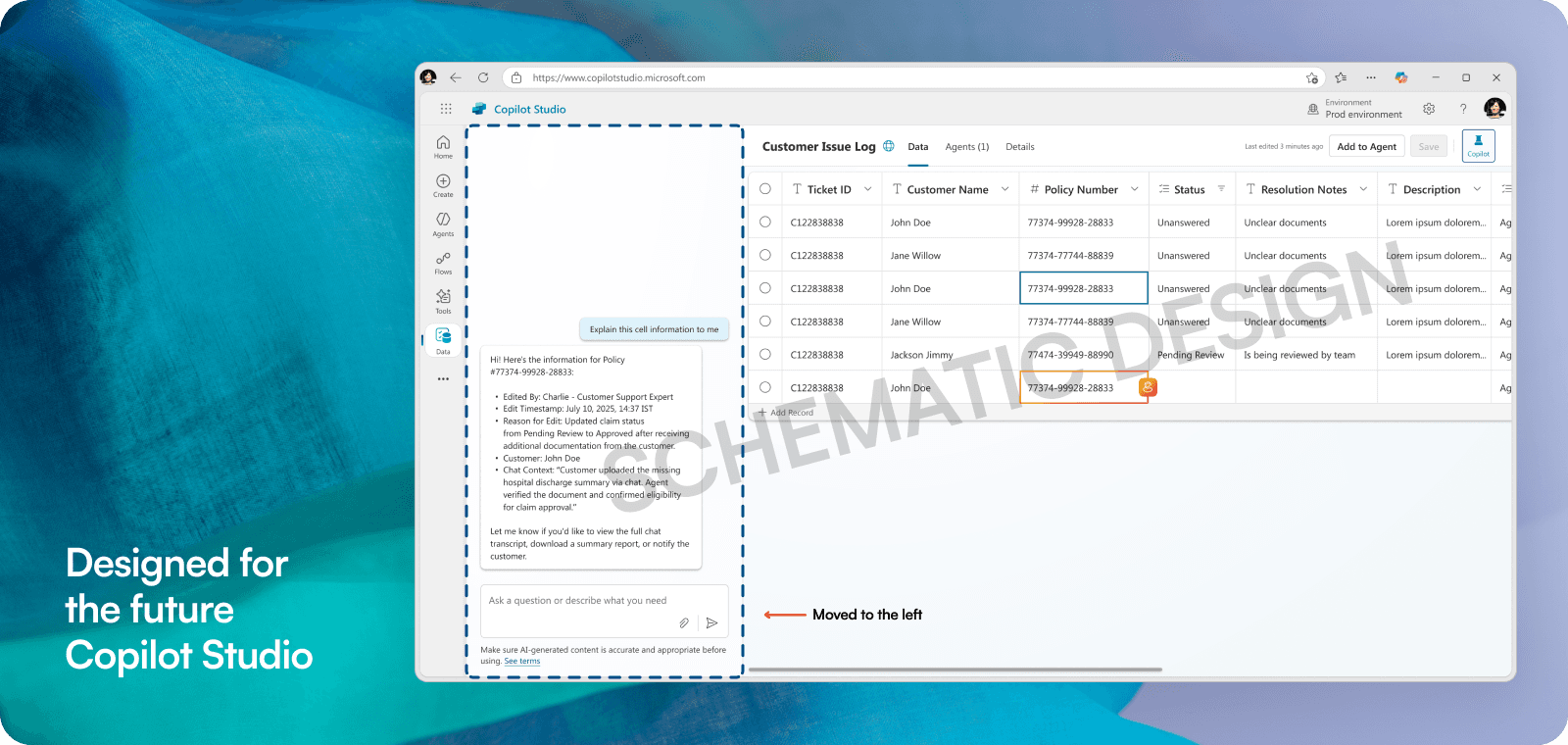
An unspoken objective of the SmartTable is to show autonomous agents in play on a surface synonymous to humans. This was one of the first places we were able to achieve that, a column where agents were visible along side humans.
Day 10: When a few entries have stacked up
While for a conventional maker, there are existing surfaces like knowledge pages where they can discover entry points to discover the Data tab, and edit SmartTables they created. Also, email summaries and nudges on usage reports are other plans to route a maker on entries that have been left unseen for a long time.
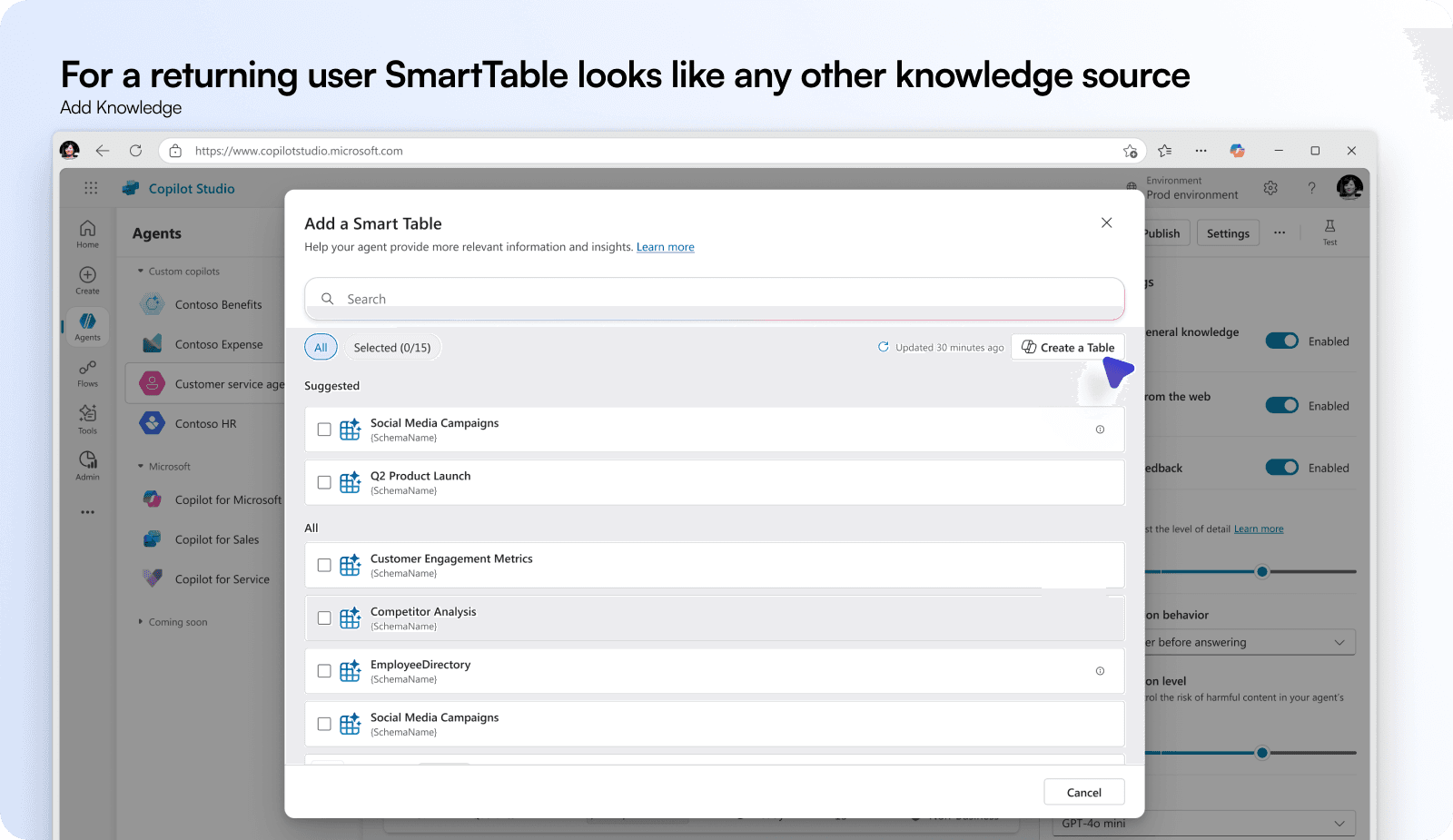
With extreme investment on the first run experience, there was an obvious question how would the returning user's view with a few created tables look like. What if they create 100s of new tables and none of them gain traction? These are fair questions I chose not to answer as the impending redesign will shake a lot of things up. I leveraged existing table list view to solve the returning user by giving the Create a Table button with a copilot icon to hint the same FRE entry point to build table with a copilot.
Final outcome: A realistic solution to agent memory
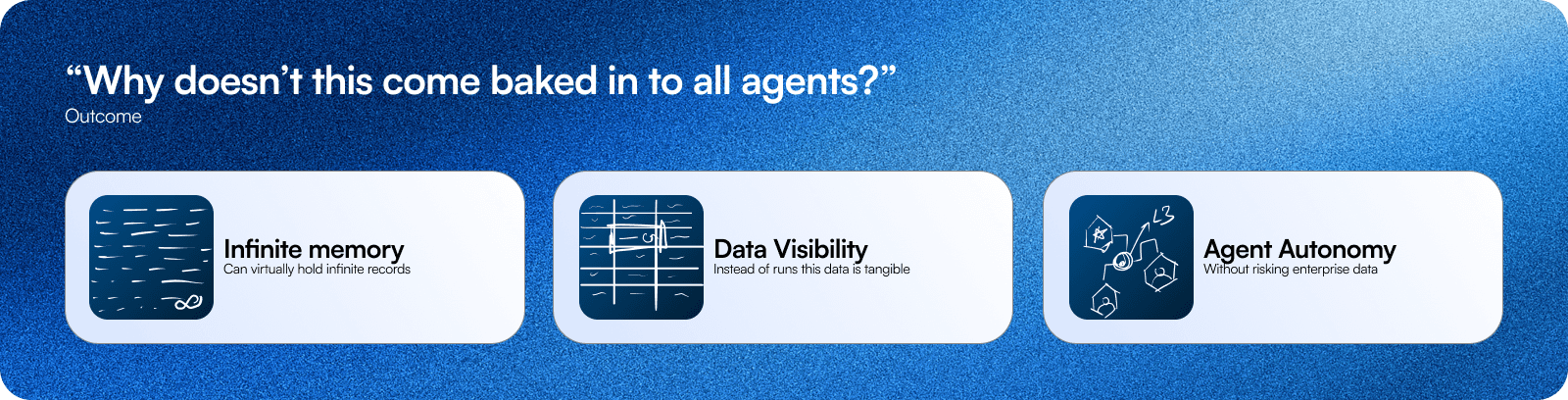
We created a way to create infinite memory, that can be managed by multiple users and agents together. This means, agents and child agents both have a single canvas as a knowledge source to log information in all shapes and sizes like a scratch pad. In this implement GenAI decides if this is worth logging or not.
This also means, analytics, runs, logs dont need dashboards - they can be just logged in a table and Copilot can surface them anytime through scheduled runs or ondemand.
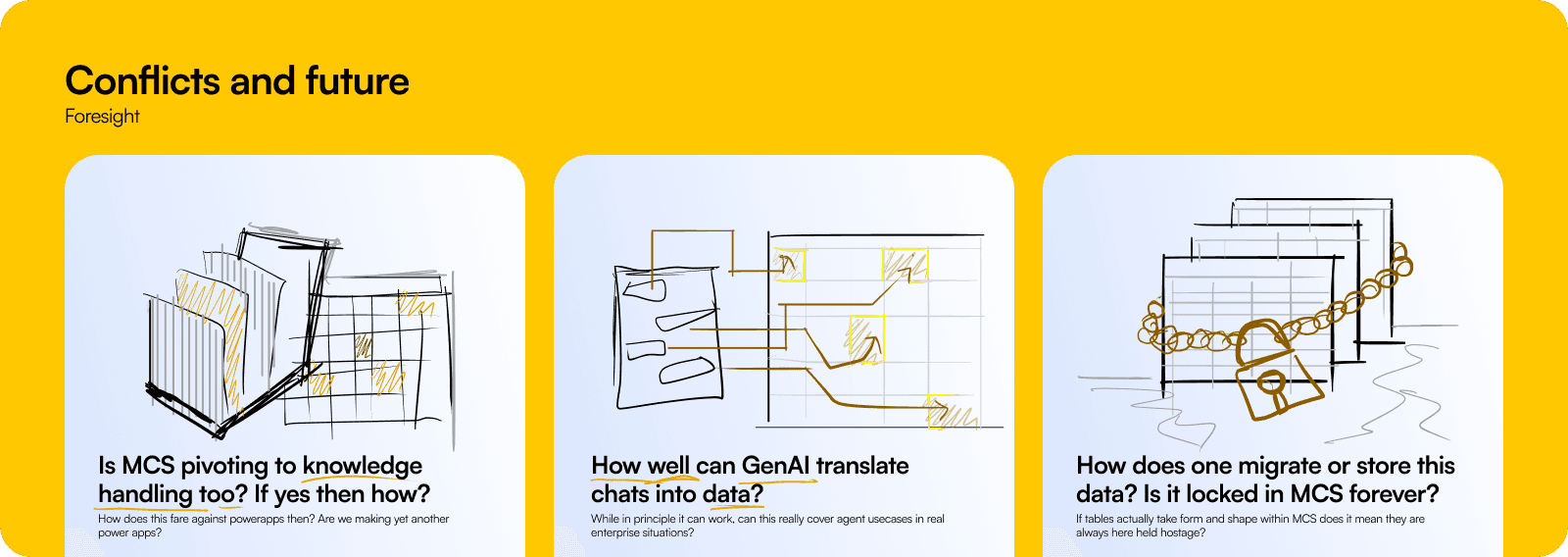
With such a promising feature there were some unanswered caveats that had to be resolved, but they were much higher than my paygrade. These are fundamental questions that were a subject of larger strategy, extended testing and future of the smart tables. The issues were:
MCS is an agent builder not a data management platform. In principle, PowerApps is designed for these extremely technical usecases, is this replication?
Can genAI realistically turn chats into reliable logs? I think human in loop is needed to solve overwrite and data hygiene in general, and I am optimistic about this scenario.
If this feature picks up, what is the imminent future of this data? What happens to the data that exists in Dataverse I want an agent to edit? Whats the ecosystem value?
While questions stay unanswered we stand prepared
The components create in this designed are prepared to withstand stylistic changes coming MCS in the near term. We are not reinventing the wheel, rather driving right around the corner to kick in changes and using the time to test and finish the feature well.
Thanks for reading this far ❤️